
The Best Cloud Backup Services for Freelancers in 2025 📁
Table of Contents
1. Introduction: Why Freelancers Need Reliable Cloud Backup
2. What Makes a Great Cloud Backup Service for Freelancers
3. Top 5 Cloud Backup Services for Freelancers in 2025
4. Security Features That Matter Most
5. Pricing Considerations for Solo Professionals
6. Setting Up Your Backup Strategy
7. Common Backup Mistakes to Avoid
8. Conclusion
9. Frequently Asked Questions
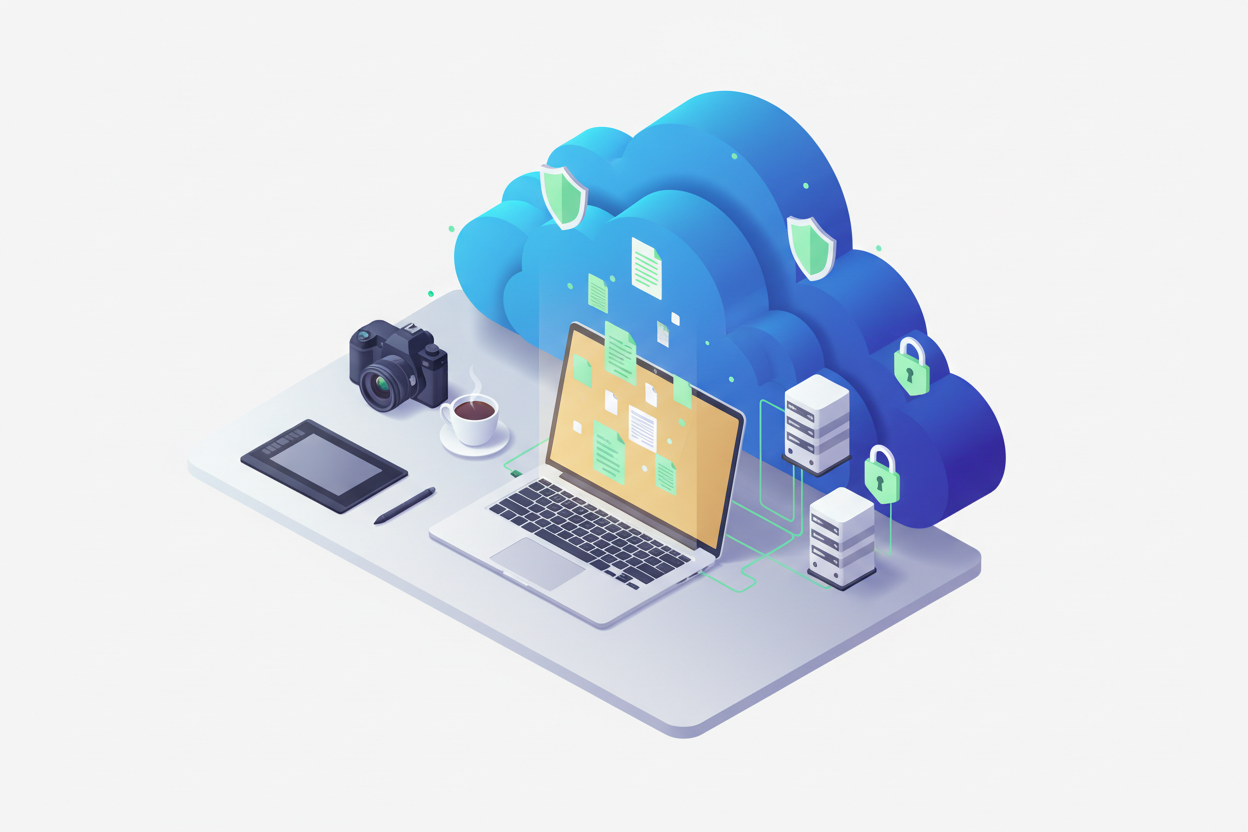
Introduction: Why Freelancers Need Reliable Cloud Backup 💼
Picture this: You’re a freelance graphic designer working on a major client project worth $5,000. You’ve spent weeks perfecting every detail, and the deadline is tomorrow. Suddenly, your laptop crashes, taking months of work with it. Sound like a nightmare? For many freelancers, this scenario is all too real.
As a freelancer, your digital files aren’t just data – they’re your livelihood. Unlike employees at large corporations with IT departments handling backups, you’re flying solo. That creative portfolio, client contracts, financial records, and ongoing projects all rest squarely on your shoulders.

The statistics are sobering: 60% of small businesses that lose their data shut down within six months. But here’s the good news – with the right cloud backup service, you can protect your freelance business from digital disasters while gaining the freedom to work from anywhere.
In 2025, cloud backup technology has evolved dramatically. We’re seeing faster upload speeds, smarter automation, and more affordable pricing than ever before. Whether you’re a writer, designer, consultant, or developer, finding the right backup solution has become crucial for business continuity.
What Makes a Great Cloud Backup Service for Freelancers 🎯
Not all cloud backup services are created equal, especially when it comes to freelancer needs. After testing dozens of platforms and speaking with fellow independent professionals, I’ve identified the key features that truly matter.
First and foremost is reliability. Your backup service should work seamlessly in the background without requiring constant attention. You’re busy serving clients, not babysitting technology. The best services offer “set it and forget it” functionality with automatic scheduling and continuous monitoring.
Speed matters tremendously when you’re working with large files or tight deadlines. Video editors dealing with gigabytes of footage can’t afford to wait hours for uploads. Look for services that offer incremental backups – only backing up changed portions of files rather than entire documents each time.
Cross-platform compatibility is essential for modern freelancers who often juggle multiple devices. Your backup solution should work seamlessly whether you’re on Windows, Mac, iOS, or Android. Some of us are still editing on laptops while reviewing work on tablets during client meetings.
Version control can be a lifesaver when clients request changes or you need to revert to earlier iterations. The ability to access previous versions of files without confusion or complicated processes has saved my bacon more times than I can count.
Top 5 Cloud Backup Services for Freelancers in 2025 🏆
1. Backblaze Personal Backup
Backblaze continues to dominate the freelancer space with its straightforward approach and unlimited storage for just $60 per year. What sets Backblaze apart is its simplicity – once installed, it quietly backs up everything on your computer without any configuration headaches.
The service excels at handling large files, making it perfect for photographers and video creators. I’ve personally tested uploading 50GB of client work, and while the initial backup took time, subsequent incremental backups were lightning fast. The mobile app lets you access files on the go, which has been invaluable during client presentations.
However, Backblaze focuses purely on backup, not sync. If you need real-time file synchronization across devices, you’ll need to supplement with another service.
2. Carbonite Safe
Carbonite has reinvented itself for 2025 with improved speeds and better pricing for freelancers. Their automatic backup runs continuously, capturing changes as you work. What I appreciate most is their courier recovery service – for large restores, they’ll ship you a hard drive rather than forcing lengthy downloads.
The service includes robust security features like 128-bit encryption and private key options. For freelancers handling sensitive client data, these security measures provide peace of mind. The pricing starts at $72 annually for unlimited backup, positioning it competitively against other premium services.
3. IDrive Business
IDrive Business offers exceptional value with 250GB of storage for $74.62 per year, scaling up to 12.5TB for larger operations. What makes IDrive special is its hybrid approach – you can backup to both cloud and local devices simultaneously.
The service supports unlimited devices under one account, perfect for freelancers managing multiple computers and mobile devices. Their disk image backup feature is particularly useful for complete system recovery scenarios. The web interface is intuitive, and file sharing capabilities make client collaboration straightforward.
4. Acronis Cyber Backup
Acronis brings enterprise-grade features to freelancer budgets. Their AI-powered threat detection can identify and prevent ransomware attacks – a growing concern for independent professionals. The service offers both file-level and full-image backups, providing flexibility for different recovery scenarios.
What sets Acronis apart is its blockchain-based file authentication, ensuring your backups haven’t been tampered with. For freelancers in regulated industries or those handling highly sensitive data, these advanced security features justify the higher price point of approximately $89 annually.
5. SpiderOak ONE
SpiderOak ONE targets privacy-conscious freelancers with its zero-knowledge architecture. Even SpiderOak employees can’t access your data, making it ideal for journalists, lawyers, or anyone handling confidential information. The service offers 150GB for $69 per year with larger plans available.
The learning curve is steeper than other services, but the privacy benefits are unmatched. File synchronization works across unlimited devices, and the historical versioning goes back indefinitely on higher-tier plans.
Security Features That Matter Most 🔐
Security isn’t just about encryption anymore – though that remains crucial. In 2025, the best backup services offer multi-layered protection against evolving threats.
End-to-end encryption should be non-negotiable. Your files should be encrypted before leaving your device, remain encrypted during transmission, and stay encrypted while stored on remote servers. Look for services using AES 256-bit encryption or stronger.
Two-factor authentication adds an essential security layer. Even if someone compromises your password, they’ll need access to your phone or authentication app to reach your backups. Most top-tier services now include this feature as standard.
Zero-knowledge architecture means the backup provider can’t access your data even if they wanted to. Only you hold the encryption keys. While this provides maximum privacy, it also means you’re responsible for key management – lose your password and your data becomes permanently inaccessible.
Ransomware protection has become increasingly important. Some services now offer immutable backups that can’t be encrypted or deleted by malicious software. Others include AI-powered monitoring to detect suspicious file changes and automatically create additional backup snapshots.
Pricing Considerations for Solo Professionals 💰
Freelancer budgets require careful consideration of cost versus features. While unlimited storage plans might seem attractive, many freelancers don’t actually need unlimited space – they need reliable, fast access to their most important files.
Consider your actual storage needs realistically. A graphic designer might need several terabytes for raw files, while a writer might only need a few gigabytes for documents. Don’t pay for storage you’ll never use.
Annual payments typically offer significant savings over monthly billing. If cash flow allows, paying annually can reduce costs by 15-20%. Many services offer free trials, so test thoroughly before committing to annual plans.
Factor in restoration costs. Some services charge for data retrieval, especially for large amounts. If you’re likely to need frequent access to backed-up files, ensure the service includes reasonable restoration allowances.
Setting Up Your Backup Strategy 📋
Having great backup software means nothing without a solid strategy. The 3-2-1 rule remains the gold standard: three copies of important data, on two different media types, with one copy stored offsite.
Start by categorizing your data by importance and access frequency. Client work and financial records need immediate, reliable backup. Reference materials and archived projects can use slower, cheaper storage options.
Automate everything possible. Manual backups fail because we forget or get busy. Set up automated schedules during off-hours to avoid impacting your work. Most services allow customization of backup timing and frequency.
Test your backups regularly. Schedule monthly tests where you actually restore files to ensure everything works correctly. I learned this lesson the hard way when a supposedly successful backup turned out to be corrupted.
Document your backup procedures. If something happens to you, can someone else access your business data? Create clear instructions for backup access and store them securely but separately from your main systems.
Common Backup Mistakes to Avoid ⚠️
The biggest mistake freelancers make is treating backup as a one-time setup. Technology changes, file locations shift, and backup needs evolve. Regular maintenance prevents nasty surprises.
Don’t rely solely on cloud storage services like Dropbox or Google Drive as backups. These are synchronization services – if you accidentally delete a file, it deletes everywhere. True backup services maintain historical versions and deleted file recovery.
Avoid backing up everything indiscriminately. This wastes bandwidth and storage while making file recovery more difficult. Focus on irreplaceable data: client work, business documents, and creative assets. Your music collection and downloaded software can be replaced.
Never ignore backup notifications or error messages. These warnings often indicate partial failures that could leave you vulnerable. Address issues immediately rather than assuming everything is fine.
Don’t forget about mobile devices. Many freelancers do significant work on tablets and smartphones but only backup computers. Ensure your strategy covers all devices containing business data.
Conclusion 🎉
Choosing the right cloud backup service in 2025 isn’t just about storage space or price – it’s about protecting your freelance business from digital disasters while enabling productive, flexible work patterns.
For most freelancers, Backblaze Personal Backup offers the best combination of simplicity, reliability, and value. Its unlimited storage and straightforward approach make it ideal for creative professionals with large file requirements. However, privacy-focused freelancers might prefer SpiderOak ONE, while those needing advanced security features should consider Acronis Cyber Backup.
Remember that the best backup service is the one you’ll actually use consistently. Don’t get overwhelmed by features you don’t need. Focus on reliability, ease of use, and adequate security for your specific situation.
Your freelance business depends on your digital assets. Investing in proper backup protection isn’t just smart – it’s essential for long-term success. Take the time to implement a robust backup strategy now, before you need it. Your future self will thank you.
Frequently Asked Questions ❓
How much should freelancers expect to pay for cloud backup services?
Most quality cloud backup services for freelancers range from $60-120 annually. Unlimited storage plans typically cost $60-80 per year, while tiered storage plans start around $50-70 for 150-250GB. The investment is minimal compared to the potential cost of losing client work or business data.
What’s the difference between cloud backup and cloud storage services like Dropbox?
Cloud storage services focus on file synchronization and sharing, while backup services prioritize data protection and recovery. Backup services maintain multiple versions of files, protect against accidental deletion, and often offer better security features. Many freelancers benefit from using both types of services for different purposes.
How long does initial backup take for freelancer workloads?
Initial backup time depends on your internet speed and data volume. For typical freelancer workloads (50-200GB), expect 1-3 days for complete initial backup. Most services prioritize important files first and run incrementally afterward, so you don’t need to wait for completion to start getting protection.
Can I access my backed-up files while traveling internationally?
Yes, most major cloud backup services offer global access through web interfaces and mobile apps. However, download speeds may vary by location, and some countries have restrictions on certain cloud services. Check your provider’s international availability before relying on access while traveling.
What happens if my chosen backup service goes out of business?
Reputable backup services typically provide advance notice and data migration assistance if they’re shutting down. However, it’s wise to maintain local backups of critical data and avoid putting all eggs in one basket. The major services listed in this article have strong financial backing and established track records.
Should freelancers encrypt files before uploading to cloud backup services?
Most quality backup services handle encryption automatically, but adding your own encryption layer provides extra security for highly sensitive data. However, remember that if you lose your encryption keys, your data becomes permanently inaccessible. For most freelancers, the built-in encryption of reputable services provides adequate protection.


