Websites

Apps, Cloud, Guides, How To, Resources, Reviews, SaaS, Software, Tutorials, Websites

Discover the Best Slack Alternatives for Team Communication in 2025

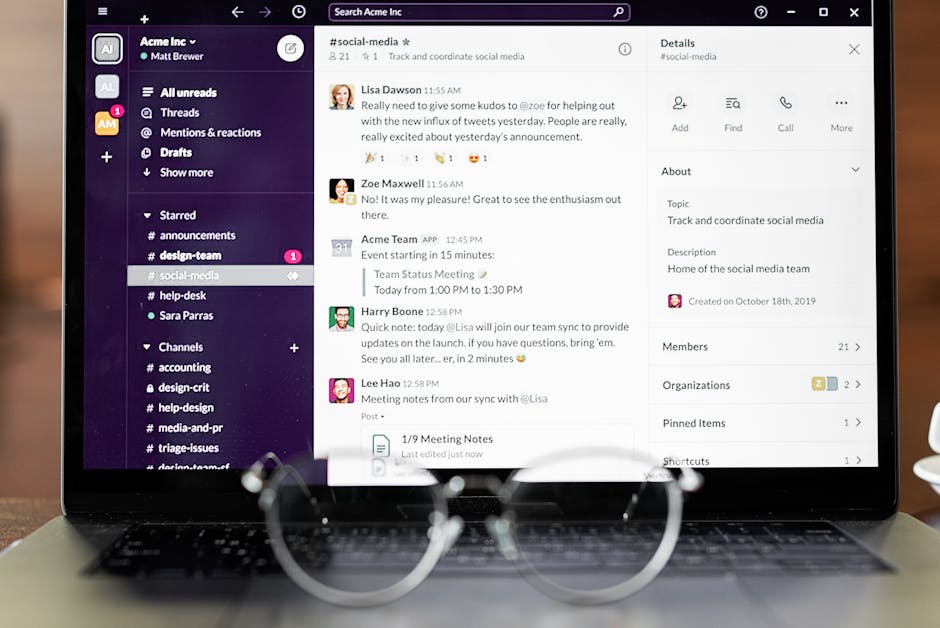
Discover the Best Slack Alternatives for Team Communication in 2025 In the fast-paced digital world, effective team communication is paramount. While Slack has been a giant in the realm of workplace communication tools, the landscape is ever-evolving. As we move into 2025, it’s time to explore other contenders that might better fit your team’s unique needs. Whether you’re looking for enhanced security, more integrations, or simply a fresh interface, there’s likely a platform that’s just right for you. Let’s dive into the best Slack alternatives that promise to revolutionize team communication. Why Consider Slack Alternatives? 🤔 Slack has undeniably set a high standard for team communication, but it’s not without its limitations. Some teams find Slack’s pricing prohibitive as their user base grows, while others seek more tailored features that Slack doesn’t offer. Additionally, privacy concerns and the need for more robust project management features have driven many to explore other options. Top Slack Alternatives to Explore in 2025 1. Microsoft Teams: A Powerhouse for Collaboration Microsoft Teams has emerged as a formidable alternative to Slack, especially for organizations already invested in the Microsoft ecosystem. Seamlessly integrating with Office 365, Teams offers real-time collaboration on documents, video conferencing, and more. Its tight integration with other Microsoft products makes it a natural choice for businesses looking to leverage existing tools. The platform also boasts strong security features, making it ideal for industries with stringent compliance requirements. 2. Discord: More Than Just a Gaming Platform Originally popular among gamers, Discord has made significant strides in becoming a viable option for business communication. With its voice channels, chat functions, and the ability to create communities (or “servers”), Discord provides a flexible environment for team interactions. Its user-friendly interface and affordability make it an attractive option for startups and smaller teams. 3. Mattermost: Open-Source and Customizable Mattermost is an open-source platform that offers a high degree of customization, making it perfect for teams that have specific requirements. Its self-hosting capabilities ensure greater control over data, which is a significant advantage for organizations prioritizing privacy. Mattermost supports integrations with popular tools like Jira and GitHub, enhancing its functionality for development teams. 4. Google Chat: Seamless Integration with Google Workspace If your organization relies heavily on Google Workspace, Google Chat is a worthy contender. Offering direct integration with Google Docs, Sheets, and other Workspace apps, it facilitates smooth collaboration. With its simple interface and powerful search capabilities, Google Chat ensures that teams can keep track of conversations and documents without hassle. Plus, its affordability is a bonus for budget-conscious businesses. 5. Rocket.Chat: A Secure Communication Hub For teams prioritizing security and data protection, Rocket.Chat is a compelling option. This open-source solution allows you to host your own server, giving you complete control over your data. It supports video conferencing, file sharing, and even live chat on your websites, making it a versatile tool for both internal and external communication. Key Features to Consider When Choosing a Communication Tool When selecting a team communication tool, consider the following: 1. Integration Capabilities Ensure the tool integrates smoothly with the other software your team uses daily. Look for platforms that support a wide range of integrations, from CRM systems to project management tools. 2. Security and Privacy With increasing concerns over data privacy, choosing a platform that prioritizes security is crucial. Look for features like end-to-end encryption and compliance with industry standards. 3. User Experience A user-friendly interface can significantly enhance productivity. Tools that offer intuitive navigation and minimal learning curves will enable your team to adapt quickly. 4. Cost Budget is always a consideration. Analyze the pricing models of your options—whether they charge per user, per feature, or offer flat rates—and choose what aligns best with your financial plan. Conclusion: Finding the Right Fit for Your Team The world of team communication is vast and varied. While Slack remains a strong contender, exploring alternatives can unveil tools better suited to your needs. From the robust integration of Microsoft Teams to the flexibility of Mattermost, each platform offers unique benefits. By considering your team’s specific requirements and priorities, you can make an informed decision that enhances productivity and collaboration. FAQs Q: Are there free alternatives to Slack? A: Yes, platforms like Discord and Rocket.Chat offer free versions with robust features, making them excellent choices for teams on a budget. Q: Which communication tool is best for large organizations? A: Microsoft Teams is often favored by large organizations due to its integration with Microsoft Office products and its scalability. Q: Can I migrate my data from Slack to another platform? A: Most platforms offer migration tools or services to help transfer data from Slack, though the ease of the process can vary. Q: What is the most secure Slack alternative? A: Rocket.Chat and Mattermost are known for their strong security features, including self-hosting options for complete data control. By assessing these factors and exploring various platforms, you can find the ideal communication tool for your team’s needs in 2025. Happy collaborating! 🤝 Check Out More On My Page


Apps, Cloud, Guides, How To, Resources, Reviews, SaaS, Software, Tutorials, Websites

Top Affordable Cloud Hosting Services for Startups in 2025

Top Affordable Cloud Hosting Services for Startups in 2025 In the fast-paced world of startups, choosing the right cloud hosting service can make or break your business. The year 2025 offers a plethora of options that are both cost-effective and feature-rich. Whether you are launching a new app or scaling an existing platform, finding an affordable yet reliable cloud hosting service is crucial. In this blog post, we will explore some of the top affordable cloud hosting services for startups in 2025. Let’s dive in! 🚀 Table of Contents 1. Introduction 2. Why Cloud Hosting is Essential for Startups 3. Key Features to Look for in Cloud Hosting 4. Top Affordable Cloud Hosting Services in 2025    a. Service A    b. Service B    c. Service C 5. Conclusion 6. FAQs Why Cloud Hosting is Essential for Startups Cloud hosting has become an indispensable part of modern startups due to its scalability, flexibility, and cost-effectiveness. Unlike traditional hosting, cloud solutions allow businesses to pay only for the resources they use. This is a game-changer for startups that need to manage their budgets meticulously. Moreover, cloud hosting offers enhanced security and automatic backups, ensuring your data is safe and accessible. With the ability to handle sudden spikes in traffic, cloud hosting ensures that your website or application remains up and running smoothly. 💡 Key Features to Look for in Cloud Hosting Before diving into the specific services, let’s highlight some key features that every startup should consider when choosing a cloud hosting provider: 1. Scalability: The ability to easily scale resources up or down based on demand. 2. Performance: Look for providers that offer high-speed servers and low latency. 3. Security: Ensure the provider offers robust security measures such as firewalls, DDoS protection, and regular backups. 4. Cost: Transparent pricing models with no hidden fees are crucial for budgeting. 5. Support: 24/7 customer support can be a lifesaver for troubleshooting issues quickly. Top Affordable Cloud Hosting Services in 2025 Service A Service A has been making waves in the cloud hosting space with its unbeatable pricing and feature set. They offer a pay-as-you-go model, making it ideal for startups with fluctuating resource needs. With state-of-the-art security features and an easy-to-use dashboard, managing your cloud infrastructure has never been easier. Another standout feature is their 24/7 customer support, ensuring that help is always just a call or chat away. Service A is perfect for those who prioritize both affordability and reliability. 👍 Service B If you’re looking for a provider that blends performance with cost-effectiveness, Service B is a strong contender. Known for their lightning-fast servers and low downtime, they are a favorite among tech startups. Their scalable plans allow businesses to grow without worrying about infrastructure limitations. Service B also offers a robust set of developer tools, making it easier to deploy and manage applications. With a focus on innovation and customer satisfaction, Service B continues to attract startups looking for a competitive edge. 🌟 Service C Service C stands out for its comprehensive security features and competitive pricing. They provide end-to-end encryption, ensuring that your data remains secure at all times. Moreover, their intuitive interface makes managing your cloud services a breeze, even for non-technical founders. What sets Service C apart is their commitment to sustainability. They have implemented green energy solutions to reduce their carbon footprint, making them an excellent choice for eco-conscious startups. 🌍 Conclusion Choosing the right cloud hosting service is a critical decision for any startup. The providers we’ve discussed—Service A, Service B, and Service C—offer a combination of affordability, performance, and security, making them excellent choices for startups in 2025. By carefully assessing your startup’s specific needs and budget, you can select a provider that will support your growth and success. Happy hosting! 🎉 FAQs Q1: What is the main advantage of cloud hosting over traditional hosting? A: Cloud hosting offers scalability, allowing businesses to adjust resources based on demand, which is more cost-effective than traditional hosting. Q2: How do I choose the best cloud hosting service for my startup? A: Consider factors like scalability, performance, security, cost, and customer support to find a service that aligns with your startup’s needs. Q3: Are there any hidden costs with cloud hosting services? A: Most reputable providers offer transparent pricing. However, it’s essential to review the pricing model and potential additional fees for specific features or resource usage. Q4: Can I switch cloud hosting providers easily? A: Yes, most providers offer migration tools and support to help businesses transition smoothly between services. Q5: Is cloud hosting secure for my startup’s data? A: Yes, reputable cloud hosting providers implement robust security measures, including encryption, firewalls, and regular backups, to protect your data. Check Out More On My Page

Apps, Cloud, Guides, How To, Resources, Reviews, SaaS, Software, Tutorials, Websites

Choosing Between Cloud Storage and NAS for Your Home in 2025

Choosing Between Cloud Storage and NAS for Your Home in 2025 As we delve deeper into the digital age, the need for effective data storage solutions becomes more pressing. Whether you’re a tech aficionado or just someone who has amassed a significant digital library, deciding between cloud storage and Network Attached Storage (NAS) for your home can be a daunting task. But fear not! By the end of this blog post, you’ll have a clearer understanding of which option might be best suited for your needs in 2025. Table of Contents 1. Understanding Cloud Storage 2. Getting to Know NAS 3. Key Differences Between Cloud Storage and NAS 4. Pros and Cons of Cloud Storage 5. Pros and Cons of NAS 6. Which One Should You Choose? 7. FAQs 8. Conclusion Understanding Cloud Storage Cloud storage is a service model where data is stored on remote servers accessed via the internet, or “cloud.” Providers like Google Drive, Dropbox, and Amazon AWS offer scalable storage solutions that can be tailored to meet individual or business needs. In 2025, cloud storage is more versatile than ever. With increased internet speeds and enhanced security measures, it has become a go-to solution for many. The convenience of accessing your files from anywhere in the world with an internet connection is a significant advantage. Plus, many services now offer seamless integration with other apps and devices, making data management a breeze. Getting to Know NAS Network Attached Storage, or NAS, is a device connected to your home or office network that allows for centralized data storage and retrieval. Think of it as your personal cloud, but located within your own premises. In 2025, NAS devices have become more user-friendly and affordable. They are particularly appealing for tech enthusiasts who crave control over their data. Modern NAS systems offer features like RAID configurations for data redundancy, media streaming capabilities, and even the ability to host your own website. Key Differences Between Cloud Storage and NAS While both cloud storage and NAS serve the primary purpose of data storage, they differ significantly in terms of accessibility, control, and cost. Cloud storage offers unparalleled accessibility and convenience. However, it often comes with ongoing subscription costs. On the other hand, NAS gives you total control over your data without recurring fees, but it requires a more significant upfront investment and some technical know-how to set up and maintain. Pros and Cons of Cloud Storage Pros: ✨ Accessibility: Access your files from anywhere, anytime. 🔒 Security: Major providers offer robust security features. 📈 Scalability: Easily increase storage as your needs grow. 🤝 Integration: Seamlessly integrates with other apps and services. Cons: 💸 Cost: Ongoing subscription fees can add up over time. 🌐 Reliance on Internet: Requires an internet connection for access. 🔍 Privacy Concerns: Storing data on third-party servers may raise privacy issues. Pros and Cons of NAS Pros: 🏠 Control: Full control over your data and storage configurations. 🛡️ Privacy: Data is stored locally, enhancing privacy. 🔧 Customization: Highly customizable to suit personal needs. Cons: 💰 Initial Cost: Higher upfront investment for hardware. ⚙️ Complexity: Requires some technical expertise to set up and maintain. 📶 Accessibility: Limited remote access capabilities compared to cloud storage. Which One Should You Choose? The decision between cloud storage and NAS largely depends on your specific needs and circumstances. If you prioritize convenience, accessibility, and are comfortable with a subscription-based model, cloud storage might be the way to go. It’s especially beneficial if you frequently need to access your files on the go or have a transient lifestyle. Conversely, if you value privacy, control, and are willing to invest some time in setting up your system, a NAS could be the perfect fit. It’s ideal for those who want to keep their data close and have the technical skills or willingness to learn. FAQs Q: Can I use both cloud storage and NAS? A: Absolutely! Many users opt for a hybrid approach, using cloud storage for its accessibility and NAS for its privacy and control. Q: How secure is cloud storage? A: Major providers implement strong security measures, but no system is infallible. It’s essential to use strong passwords and enable two-factor authentication. Q: Is NAS difficult to set up? A: While NAS setup can be more complex than cloud storage, many modern systems come with user-friendly interfaces and guides to simplify the process. Conclusion Choosing between cloud storage and NAS for your home in 2025 doesn’t have to be overwhelming. By understanding the nuances of each option and considering your personal needs, you can make an informed decision. Whether you choose the convenience of the cloud or the control of NAS, both have their unique advantages that can greatly enhance your digital storage experience. 🌟 Check Out More On My Page

Apps, Cloud, Guides, How To, Resources, Reviews, SaaS, Software, Tutorials, Websites

A Comprehensive Comparison of Cloud Migration Tools for 2025

A Comprehensive Comparison of Cloud Migration Tools for 2025 As organizations continue to embrace the digital transformation, cloud migration has become a pivotal aspect of business strategies. With a plethora of tools available, choosing the right one for your cloud journey in 2025 can be daunting. In this guide, we’ll explore the top cloud migration tools, highlighting their features, pros, and cons to help you make an informed decision. Let’s dive into the world of cloud migration! Table of Contents 1. Introduction 2. AWS Migration Hub 3. Azure Migrate 4. Google Cloud Migration Tools 5. CloudEndure 6. Velostrata 7. Conclusion 8. FAQs Introduction The demand for scalable and flexible IT solutions has propelled the migration to cloud environments. But, with numerous cloud migration tools available, selecting the right one often feels overwhelming. This blog post will walk you through a comprehensive comparison of the best cloud migration tools for 2025, ensuring you pick the tool that aligns with your business needs. AWS Migration Hub Amazon Web Services (AWS) Migration Hub is a robust tool designed to simplify and track cloud migrations. Features: AWS Migration Hub offers a centralized dashboard for monitoring migration processes, supports various AWS and partner migration tools, and integrates seamlessly with other AWS services. Pros: Its centralized control and compatibility with multiple tools make it a versatile choice. The seamless integration with AWS services ensures a smooth transition to the cloud. Cons: While powerful, it may be overwhelming for beginners due to its complex configuration and setup processes. Azure Migrate Microsoft’s Azure Migrate is designed to facilitate smooth transitions to the Azure cloud platform. Features: It provides assessment and migration capabilities, supports VMware, Hyper-V, and physical servers, and offers seamless integration with Azure services. Pros: Azure Migrate stands out for its user-friendly interface and comprehensive support for various server types. The seamless integration with Azure services enhances efficiency. Cons: It is mainly beneficial for those already using or planning to use Azure, limiting its appeal for businesses considering multi-cloud strategies. Google Cloud Migration Tools Google Cloud offers an array of tools designed to simplify the migration process to its platform. Features: These tools provide automated migration capabilities, support for various workloads, and integration with other Google Cloud services. Pros: Google Cloud Migration Tools excel in automation and offer excellent support for containerized workloads, making it ideal for modern application needs. Cons: The primary drawback is the limited cross-platform support, which can be a challenge for businesses with diverse cloud strategies. CloudEndure CloudEndure, an AWS company, offers solutions for disaster recovery and cloud migration. Features: It provides continuous replication, automated machine conversion, and orchestration of migrations. Pros: Its ability to minimize downtime and ensure data consistency makes it a preferred choice for businesses prioritizing business continuity. Cons: Primarily tailored to AWS environments, its functionality may be limited when considering other cloud providers. Velostrata Velostrata, acquired by Google, is known for its live migration features. Features: It supports live migrations from on-premises to Google Cloud, allowing applications to run natively in the cloud. Pros: Velostrata’s ability to perform live migrations with minimal downtime is a significant advantage for businesses seeking seamless transitions. Cons: Being tightly integrated with Google Cloud, it may not be the best fit for organizations exploring other cloud platforms. Conclusion Choosing the right cloud migration tool in 2025 involves understanding your specific needs and the nuances of each tool. Whether you prioritize seamless integration, minimal downtime, or multi-cloud capabilities, there’s a tool that fits your requirements. AWS Migration Hub, Azure Migrate, and Google Cloud Migration Tools are top contenders, each with unique strengths. Evaluate your current infrastructure and future goals to make the best choice for your cloud journey! FAQs 1. What is the most important factor to consider when choosing a cloud migration tool? Consider the compatibility of the tool with your existing infrastructure and your future cloud strategy. Ease of use, support, and cost are also crucial factors. 2. Can I use multiple cloud migration tools for a single project? Yes, using multiple tools can be beneficial, especially if you are adopting a multi-cloud strategy. Ensure they are compatible and can work together seamlessly. 3. How can I minimize downtime during cloud migration? Choose tools that offer live migration capabilities and plan your migration during off-peak hours. Continuous monitoring and testing can also help minimize disruptions. 🚀 Embark on your cloud migration journey with confidence, armed with the knowledge of these powerful tools. The future of your business awaits in the cloud! 🌥️ Check Out More On My Page

Apps, Cloud, Guides, How To, Resources, Reviews, SaaS, Software, Tutorials, Websites

Top Cloud Computing Certifications for Beginners in 2025

Top Cloud Computing Certifications for Beginners in 2025 The world of cloud computing is expanding rapidly, and with it, the demand for skilled professionals is on the rise. If you’re just starting your journey in this exciting field, obtaining a cloud computing certification can be a game-changer, opening doors to a plethora of opportunities. In this guide, we’ll explore the top cloud computing certifications for beginners in 2025, setting you on a path to success. Table of Contents 1. Introduction to Cloud Computing Certifications 2. Why Pursue a Cloud Computing Certification? 3. Top Certifications for Beginners 4. How to Choose the Right Certification 5. Conclusion 6. FAQs Introduction to Cloud Computing Certifications Cloud computing certifications are designed to validate your skills and knowledge in managing, deploying, and operating cloud infrastructures. As a beginner, choosing the right certification can set the foundation for your career. These certifications not only enhance your technical expertise but also boost your credibility in the job market. Why Pursue a Cloud Computing Certification? In today’s digital age, cloud computing is the backbone of many businesses. Here are a few reasons why pursuing a certification is beneficial: 1. Career Advancement: Certifications can significantly enhance your resume, making you a more attractive candidate to potential employers. 2. Skill Validation: They validate your knowledge and skills, providing proof of your competence in cloud technologies. 3. Networking Opportunities: Being certified opens up opportunities to connect with other professionals in the field, expanding your professional network. 4. Increased Earning Potential: Certified professionals often command higher salaries compared to their non-certified counterparts. Top Certifications for Beginners 1. AWS Certified Cloud Practitioner The AWS Certified Cloud Practitioner certification is perfect for beginners. It provides a well-rounded understanding of AWS cloud concepts, core services, security, and pricing. This certification is a great stepping stone for anyone starting their cloud journey. 2. Microsoft Certified: Azure Fundamentals The Azure Fundamentals certification is ideal for those looking to get familiar with Microsoft’s cloud services. It covers basic cloud concepts and Azure services, making it an excellent choice for beginners. 3. Google Cloud Digital Leader This certification from Google is designed for individuals who want to demonstrate their understanding of cloud technologies and how they can transform business operations. It’s a great entry point for beginners, focusing on the benefits of Google Cloud. 4. CompTIA Cloud Essentials+ This vendor-neutral certification is perfect for those new to cloud computing. It covers the foundational business and technical components of cloud services and is a good starting point for anyone looking to understand the broader aspects of cloud technology. 5. IBM Certified Technical Advocate – Cloud v3 An excellent certification for beginners, this IBM certification focuses on cloud computing basics and IBM’s cloud offerings, equipping you with the skills to advocate for cloud solutions within your organization. How to Choose the Right Certification Choosing the right certification depends on your career goals and interests. Here are some tips to help you decide: 1. Research the Market: Understand which certifications are in demand and align with your career goals. 2. Consider Your Interests: Choose a certification that aligns with your interests, whether it’s in AWS, Azure, Google Cloud, or a more general cloud computing approach. 3. Look at the Certification Path: Some certifications are prerequisites for more advanced ones. Consider your long-term career path when making a decision. 4. Assess the Cost: Certifications can be expensive, so consider your budget and whether your employer offers any reimbursement or support. Conclusion Cloud computing certifications are a valuable asset in today’s job market. They not only validate your skills but also increase your marketability as a professional. As you embark on your cloud computing journey, start with beginner-friendly certifications and gradually work your way up to more advanced ones. Remember, the key to a successful career in cloud computing is continuous learning and staying updated with the latest industry trends. FAQs Q1: Can I pursue a cloud computing certification without any prior experience? A1: Yes! Many entry-level certifications are designed for beginners and require no prior experience. Q2: How long does it take to get certified? A2: The time varies depending on the certification and your study pace, but most beginner certifications can be completed in a few months with consistent effort. Q3: Are online courses effective for certification preparation? A3: Absolutely! There are numerous online resources and courses that effectively prepare you for certification exams. Q4: Do certifications need to be renewed? A4: Yes, most certifications require renewal every few years to ensure your skills remain current. Embarking on a cloud computing career is both exciting and rewarding. With the right certification, you can unlock numerous opportunities in this ever-evolving field. Good luck on your journey! 🚀 Check Out More On My Page

Apps, Cloud, Guides, How To, Resources, Reviews, SaaS, Software, Tutorials, Websites

How AI is Transforming Cloud Operations: Automation Trends for 2025

How AI is Transforming Cloud Operations: Automation Trends for 2025 The digital landscape is evolving rapidly, and cloud operations are at the forefront of this transformation. As we approach 2025, the integration of Artificial Intelligence (AI) into cloud services is not just a trend, but a pivotal shift poised to redefine how businesses operate. In this blog post, we’ll explore the revolutionary impact of AI on cloud operations, highlighting key automation trends that are set to dominate the industry. Whether you’re a tech enthusiast, a business leader, or simply curious about the future, this exploration of AI’s role in cloud computing is crafted to captivate and inform you. Table of Contents 1. Introduction to AI in Cloud Operations 2. AI-Powered Automation: The Core of Cloud Innovation 3. Enhanced Security Through AI 4. AI and Predictive Analytics: A Perfect Match 5. Cost Efficiency and Resource Optimization 6. The Human Element: Balancing Automation with Expertise 7. Conclusion 8. FAQs Introduction to AI in Cloud Operations AI’s role in cloud operations has expanded beyond simple task automation to encompass sophisticated decision-making processes. By integrating machine learning algorithms and advanced data analytics, AI facilitates smarter, faster, and more reliable cloud operations. This integration not only enhances performance but also ensures scalability and flexibility, which are crucial for modern businesses. AI-Powered Automation: The Core of Cloud Innovation The essence of AI in cloud operations lies in automation. AI-driven automation can manage workloads, optimize storage, and even predict future needs with uncanny accuracy. Imagine a cloud system that self-manages, identifies inefficiencies, and rectifies them without human intervention. This level of automation reduces downtime and enhances user experience, making businesses more agile and responsive to market changes. Enhanced Security Through AI Security remains a top priority in cloud operations, and AI is transforming this domain. Advanced AI algorithms can detect and respond to threats in real-time, offering a proactive approach to security. By analyzing vast amounts of data, AI systems can identify patterns indicative of cyber threats and automatically implement countermeasures. This not only fortifies the cloud environment but also instills confidence in users and businesses alike. 🔒 AI and Predictive Analytics: A Perfect Match Predictive analytics powered by AI is revolutionizing cloud operations by enabling businesses to forecast trends and make informed decisions. By analyzing historical data, AI can predict system failures, customer behavior, and market trends, allowing companies to prepare and strategize effectively. This foresight is invaluable, as it helps businesses stay ahead of the competition and adapt to the ever-changing digital landscape. 📈 Cost Efficiency and Resource Optimization AI’s ability to optimize resources and reduce costs is a significant advantage for businesses. Through intelligent data processing and workload management, AI can minimize resource wastage, thereby reducing operational costs. Furthermore, AI’s predictive capabilities ensure that resources are allocated efficiently, maximizing output while minimizing expenditure. This balance is crucial for companies looking to maintain profitability in a competitive market. 💰 The Human Element: Balancing Automation with Expertise While AI-driven automation offers numerous benefits, the human element remains irreplaceable. Expertise and creativity are essential in overseeing AI operations and making strategic decisions. As AI takes over routine tasks, professionals can focus on innovation and customer engagement, driving businesses forward. This symbiotic relationship between AI and human expertise ensures that technology enhances, rather than replaces, human capabilities. Conclusion The integration of AI into cloud operations is a transformative journey that promises to redefine how businesses function. By embracing AI-driven automation, enhanced security, predictive analytics, and resource optimization, companies can achieve unprecedented levels of efficiency and innovation. As we move towards 2025, staying informed and adaptable will be key to leveraging the full potential of AI in cloud operations. FAQs Q: How does AI improve cloud security? A: AI enhances cloud security by detecting and responding to threats in real-time, using advanced algorithms to analyze data and identify potential risks. Q: What is the role of predictive analytics in cloud operations? A: Predictive analytics uses AI to forecast trends and system needs, allowing businesses to make informed decisions and prepare for future challenges. Q: Can AI completely replace human roles in cloud operations? A: While AI can automate many tasks, human expertise remains crucial for strategic decision-making and innovation. AI and humans work best in tandem. As we seek to harness the power of AI in cloud operations, understanding these trends and their implications will be essential for navigating the digital future. 🌟 Check Out More On My Page

Apps, Cloud, Guides, How To, Resources, Reviews, SaaS, Software, Tutorials, Websites

A Step-by-Step Guide to Setting Up a Hybrid Cloud Environment in 2025

A Step-by-Step Guide to Setting Up a Hybrid Cloud Environment in 2025 In 2025, the demand for hybrid cloud environments continues to soar as companies seek the best of both worlds: the flexibility of public clouds and the security of private ones. Setting up a hybrid cloud can seem daunting, but with the right guidance, it can be a seamless process. This guide will walk you through the steps necessary to establish a robust hybrid cloud environment that will meet your business needs. Let’s dive in! 🚀 Table of Contents 1. Introduction to Hybrid Cloud 2. Assess Your Business Needs 3. Choose the Right Hybrid Cloud Model 4. Select Reliable Cloud Providers 5. Design Your Cloud Architecture 6. Implement Security Measures 7. Integrate and Migrate Your Data 8. Test and Optimize Your Environment 9. Conclusion 10. FAQs Introduction to Hybrid Cloud The hybrid cloud model combines public and private cloud elements to create a unified, flexible computing environment. In 2025, businesses increasingly rely on hybrid clouds to enhance scalability, optimize costs, and maintain control over sensitive data. The key to a successful hybrid cloud strategy is understanding your specific needs and implementing a solution that aligns with your business goals. Assess Your Business Needs Before diving into the technicalities, take a moment to evaluate why you need a hybrid cloud. Consider factors such as: – **Scalability**: Do you need to handle fluctuating workloads efficiently? – **Data Security**: Are there specific compliance requirements or sensitive data that must remain on-premises? – **Cost Management**: How can a hybrid model help you optimize IT expenditures? Understanding these needs will guide your decision-making process and ensure you build a cloud environment that truly benefits your organization. Choose the Right Hybrid Cloud Model There are several hybrid cloud models to consider: – **Cloud Bursting**: Uses a private cloud until demand spikes, then bursts into the public cloud. – **Multi-Cloud**: Utilizes multiple public clouds for different tasks alongside a private cloud. – **Distributed Cloud**: A single public cloud provider offers services across multiple locations, integrating with a private cloud. Select a model that aligns with your business objectives and IT infrastructure capabilities. Select Reliable Cloud Providers Choosing the right cloud providers is crucial. Consider factors such as: – **Reputation and Reliability**: Look for providers with proven track records and strong uptime guarantees. – **Compatibility**: Ensure their offerings integrate smoothly with your existing systems. – **Support and Services**: Evaluate the level of customer support and additional services they offer. Popular choices in 2025 include AWS, Microsoft Azure, Google Cloud, and IBM Cloud, each offering unique features and benefits. Design Your Cloud Architecture Once you’ve chosen your providers, it’s time to design your cloud architecture. This involves: – **Networking**: Establishing secure and efficient connectivity between your on-premises systems and cloud resources. – **Compute and Storage**: Deciding which workloads and data will reside in the public or private cloud. – **Integration**: Ensuring seamless interoperability between different cloud services and on-premises infrastructure. Work with your IT team to create a blueprint that supports current and future needs. Implement Security Measures Security is paramount in a hybrid cloud setup. Implement measures such as: – **Encryption**: Use robust encryption methods for data in transit and at rest. – **Identity and Access Management (IAM)**: Implement strict access controls and authentication processes. – **Compliance**: Ensure your cloud environment meets industry standards and regulatory requirements. Regular audits and updates will help maintain a secure environment as threats evolve. Integrate and Migrate Your Data Integrating and migrating data to a hybrid cloud requires careful planning: – **Data Assessment**: Identify which data sets can be moved to the cloud and which should remain on-premises. – **Migration Tools**: Utilize tools and services provided by your cloud providers to facilitate smooth data migration. – **Data Synchronization**: Ensure continuous synchronization between on-premises and cloud data. Test the migration process thoroughly to avoid disruptions and data loss. Test and Optimize Your Environment Before fully deploying your hybrid cloud setup, conduct rigorous testing: – **Performance Testing**: Evaluate the speed, reliability, and scalability of your applications. – **Security Testing**: Perform vulnerability assessments and penetration testing. – **Cost Analysis**: Monitor costs closely to ensure the hybrid model is delivering financial benefits. Regularly review and optimize your cloud environment to keep it aligned with evolving business needs and technological advancements. Conclusion Setting up a hybrid cloud environment in 2025 is a strategic move that can provide unparalleled flexibility and efficiency for your business. By carefully assessing your needs, choosing the right model and providers, and implementing robust security and testing measures, you can create a cloud environment that supports your business goals. With these steps, you’re well on your way to harnessing the full potential of hybrid cloud technology. 🌐 FAQs Q: What are the main benefits of a hybrid cloud? A: A hybrid cloud offers scalability, cost efficiency, flexibility, and better control over sensitive data. Q: How do I ensure data security in a hybrid cloud? A: Implement strong encryption, IAM policies, and regular security audits to protect your data. Q: Can I use multiple public cloud providers in a hybrid setup? A: Yes, a multi-cloud strategy allows you to leverage the strengths of different providers within a hybrid environment. Q: How often should I review my hybrid cloud architecture? A: Regular reviews and optimizations are recommended to ensure your architecture remains efficient and secure as your business evolves. Check Out More On My Page

Apps, Cloud, Guides, How To, Resources, Reviews, SaaS, Software, Tutorials, Websites

The Future of Cloud Gaming: What to Expect in 2025

The Future of Cloud Gaming: What to Expect in 2025 Cloud gaming is rapidly transforming the way we play and interact with video games. As technology advances, so too does our ability to enjoy high-quality gaming experiences from virtually anywhere. But what does the future hold for cloud gaming? As we look toward 2025, several exciting developments are on the horizon. Let’s dive into the potential future of cloud gaming and what gamers worldwide can expect. Table of Contents 1. Introduction 2. The Evolution of Cloud Gaming 3. Technological Advances Driving Change 4. Improved Accessibility and Affordability 5. Immersive Experiences and Virtual Reality 6. The Impact on the Gaming Industry 7. Conclusion 8. FAQs The Evolution of Cloud Gaming Cloud gaming, often referred to as gaming-as-a-service, has come a long way since its inception. Initially, there were concerns around latency and the feasibility of delivering high-quality gaming experiences through the cloud. However, as internet infrastructure has improved, so too has the reliability and quality of cloud gaming services. In 2025, we can expect cloud gaming to become even more mainstream, offering seamless and immersive experiences that rival traditional gaming platforms. Technological Advances Driving Change Several technological advancements are propelling cloud gaming into the future. Faster internet speeds, thanks to the widespread rollout of 5G and fiber-optic networks, are crucial. These advancements ensure minimal lag and high-resolution streaming, making gaming on the cloud a viable alternative to console gaming. Moreover, advancements in AI and machine learning are set to enhance cloud gaming platforms. These technologies can optimize resource allocation, predict network bottlenecks, and provide personalized gaming experiences. Imagine a game that adapts to your skill level in real-time, offering challenges that are perfectly tailored to you—exciting, right? 🤩 Improved Accessibility and Affordability One of the most significant benefits of cloud gaming is its potential to democratize access to high-quality gaming. By eliminating the need for expensive hardware, cloud gaming platforms can reach a broader audience. In 2025, we can expect cloud gaming services to become more affordable, providing gamers with a wide range of subscription options that cater to different budgets. This increased accessibility means that people who might not have previously been able to participate in gaming due to cost constraints will now have the opportunity to join in on the fun. As a result, we can anticipate a more diverse gaming community, richer in perspectives and creativity. 🎮 Immersive Experiences and Virtual Reality The future of cloud gaming isn’t just about accessibility and affordability; it’s also about creating more immersive gaming experiences. Virtual reality (VR) and augmented reality (AR) are poised to play significant roles in cloud gaming’s future. By 2025, we might see VR and AR technologies seamlessly integrated into cloud gaming platforms, offering players an unprecedented level of interactivity and immersion. Imagine putting on a VR headset and instantly being transported into a lifelike gaming world, all powered by the cloud. This kind of innovation could redefine how we think about gaming, making it not just a pastime but an experience that blurs the lines between the virtual and physical worlds. 🌐 The Impact on the Gaming Industry As cloud gaming continues to grow, its impact on the gaming industry will be substantial. Traditional gaming companies may need to adapt their business models to incorporate cloud services, while new players in the industry could emerge, leveraging cloud technology to offer unique gaming experiences. This shift could lead to increased competition, driving innovation and encouraging companies to push the boundaries of what’s possible in gaming. For gamers, this could mean more choices, better games, and a more dynamic market. It’s an exciting time to be a part of the gaming community. 🎮💥 Conclusion The future of cloud gaming in 2025 looks incredibly promising. With advancements in technology, improved accessibility, and the potential for more immersive experiences, cloud gaming is set to revolutionize the way we play. As we move forward, it’s essential for gamers, developers, and industry leaders to embrace these changes, ensuring that the future of gaming is bright, inclusive, and full of endless possibilities. FAQs Q1: What is cloud gaming? A1: Cloud gaming is a technology that allows users to play video games streamed from remote servers over the internet, eliminating the need for powerful gaming hardware. Q2: How does 5G impact cloud gaming? A2: 5G offers faster internet speeds and reduced latency, which are crucial for providing smooth and responsive cloud gaming experiences. Q3: Will cloud gaming replace traditional consoles? A3: While cloud gaming offers many advantages, it is unlikely to completely replace traditional consoles. Instead, it will provide an alternative option for gamers. Q4: What are the benefits of cloud gaming? A4: Cloud gaming offers benefits such as reduced hardware costs, access to a wide range of games, and the ability to play on various devices. Q5: Is cloud gaming suitable for competitive gaming? A5: As technology improves, cloud gaming is becoming more viable for competitive gaming, although traditional setups may still be preferred by some esports professionals for their reliability. The future of cloud gaming is undoubtedly exciting, with innovations that promise to enhance our gaming experiences. Are you ready to embrace the cloud gaming revolution? 🚀 Check Out More On My Page

Apps, Cloud, Guides, How To, Resources, Reviews, SaaS, Software, Tutorials, Websites

Small Business Cloud Backup: Essential Tips for 2025

Small Business Cloud Backup: Essential Tips for 2025 In today’s fast-paced digital age, securing your small business’s data is no longer optional; it’s a necessity. With the rapid advancements in technology, cloud backup solutions have become an integral part of data management strategies. As we look ahead to 2025, it’s crucial for small business owners to stay informed about the best practices in cloud backup. This blog post will guide you through the essential tips for implementing an effective cloud backup strategy. 🚀 Table of Contents 1. Introduction 2. Understanding Cloud Backup 3. Why Cloud Backup is Essential for Small Businesses 4. Key Features to Look for in a Cloud Backup Solution 5. Cost-Effective Strategies for Small Businesses 6. Ensuring Data Security and Compliance 7. Common Cloud Backup Challenges and Solutions 8. Conclusion 9. FAQs Understanding Cloud Backup Cloud backup refers to the process of storing data and applications on a remote server, accessible via the internet. Unlike traditional backup methods, cloud backup offers flexibility, scalability, and enhanced security features. By leveraging the cloud, businesses can ensure that their critical data is safe from physical damage, theft, or system failures. As we navigate through 2025, cloud backup solutions continue to evolve, offering more robust and user-friendly features. 🌐 Why Cloud Backup is Essential for Small Businesses Small businesses often operate with limited resources, making it essential to optimize every aspect of their operations. Here’s why cloud backup is a game-changer for small businesses: 1. Cost Efficiency: Traditional backup methods can be costly, requiring significant investment in hardware and maintenance. Cloud solutions, on the other hand, operate on a subscription model, allowing businesses to pay only for what they use. 2. Accessibility: With cloud backup, data can be accessed from anywhere at any time. This flexibility is crucial for small business owners who need to make quick decisions while on the go. 3. Scalability: As your business grows, so does your data. Cloud backup solutions can easily scale to accommodate increased data storage needs without the need for additional hardware. Key Features to Look for in a Cloud Backup Solution Not all cloud backup solutions are created equal. When choosing a service provider, consider the following features to ensure you select the best fit for your business: 1. Automated Backups: Look for solutions that offer automated backup scheduling to ensure that no data is ever lost. 2. Data Encryption: Security is paramount. Ensure that your provider offers end-to-end encryption to protect your data from unauthorized access. 3. User-Friendly Interface: A simple and intuitive interface can save time and reduce the complexity of managing backups. 4. Customer Support: Reliable customer support is essential in case you encounter any issues. Opt for providers that offer 24/7 support. Cost-Effective Strategies for Small Businesses While cloud backup is generally more affordable than traditional methods, there are additional strategies to further reduce costs: 1. Data Deduplication: This process eliminates duplicate copies of data, reducing storage needs and costs. 2. Tiered Storage Plans: Consider using tiered storage plans where less critical data is stored in a lower-cost tier. 3. Regular Data Audits: Conduct regular audits to clean up unnecessary data and optimize storage use. Ensuring Data Security and Compliance Data security and compliance are significant concerns for businesses of all sizes. Here are some tips to ensure your data remains secure and compliant: 1. Understand Compliance Requirements: Familiarize yourself with industry regulations, such as GDPR or HIPAA, that may apply to your business. 2. Implement Strong Password Policies: Encourage employees to use strong, unique passwords and change them regularly. 3. Two-Factor Authentication (2FA): Enable 2FA for an added layer of security when accessing your cloud backup. Common Cloud Backup Challenges and Solutions While cloud backup offers numerous benefits, businesses may face certain challenges: 1. Bandwidth Limitations: Solution: Schedule backups during off-peak hours to minimize interference with daily operations. 2. Data Recovery Times: Solution: Test your recovery plan regularly to ensure quick and efficient data restoration. 3. Vendor Lock-In: Solution: Choose providers that offer data migration support to avoid being locked into a single vendor. Conclusion As we look towards 2025, cloud backup remains an essential component of a small business’s data management strategy. By understanding the benefits, features, and challenges of cloud backup, businesses can make informed decisions to protect their critical data. With the right approach, cloud backup can provide peace of mind and allow small business owners to focus on what they do best: growing their business. 🌟 FAQs 1. What is cloud backup? Cloud backup is the process of storing data on a remote server accessible via the internet, providing protection from physical damage and system failures. 2. How often should small businesses back up their data? It’s recommended to perform daily or weekly backups, depending on the volume and importance of the data. 3. Can cloud backup solutions handle large volumes of data? Yes, cloud backup solutions are scalable, allowing businesses to increase storage as needed. 4. What should I do if I encounter issues with my cloud backup? Contact your service provider’s customer support for assistance and ensure you have a reliable backup strategy in place. 5. Are there risks associated with cloud backup? While cloud backup offers enhanced security, businesses should still implement strong security measures, such as encryption and 2FA, to protect their data. Embrace the future of data management with cloud backup and safeguard your small business’s digital assets today! 💼💻 Check Out More On My Page

Apps, Cloud, Guides, How To, Resources, Reviews, SaaS, Software, Tutorials, Websites

Best Cloud Storage Apps for Photographers: A 2025 Review

Best Cloud Storage Apps for Photographers: A 2025 Review In the fast-paced world of photography, ensuring your precious images are safely stored and easily accessible is more important than ever. With the plethora of cloud storage apps available, choosing the right one can be daunting. This 2025 review will guide you through the best cloud storage solutions tailored for photographers, helping you find the perfect fit for your needs. 📸 Table of Contents 1. Introduction 2. Importance of Cloud Storage for Photographers 3. Top Cloud Storage Apps for 2025     a. Google Photos     b. Adobe Creative Cloud     c. Dropbox     d. Amazon Photos     e. Apple iCloud 4. How to Choose the Right Cloud Storage 5. Conclusion 6. FAQs Importance of Cloud Storage for Photographers For photographers, cloud storage is not just about having a digital backup; it’s about securing your creative investments. High-resolution images require significant space, and relying solely on physical storage can be risky. Cloud storage offers a reliable solution, providing accessibility, scalability, and peace of mind knowing your work is safe from hardware failures or accidental deletions. Top Cloud Storage Apps for 2025 Google Photos Google Photos continues to be a favorite among photographers, thanks to its user-friendly interface and powerful AI-driven search functionality. Offering 15GB of free storage shared across Google services, it’s an excellent starter option. The AI can recognize faces, objects, and scenes, making it easy to organize and retrieve photos. Plus, its integration with Google Workspace adds extra convenience for those already using Google’s ecosystem. 🖼️ Adobe Creative Cloud Adobe Creative Cloud is a powerhouse for photographers who are already invested in Adobe’s suite of tools like Photoshop and Lightroom. With 100GB of storage on its basic plan, it allows seamless syncing and editing of images across devices. The integration with other Adobe apps provides a continuous workflow, making it ideal for professional photographers who demand precision and creativity. 🎨 Dropbox Dropbox is renowned for its simplicity and reliability. It offers 2GB of free storage, but what makes Dropbox stand out is its smart sync feature, allowing you to access files without using local storage space. The advanced sharing options make collaboration easy, which is perfect for photographers working in teams or sharing projects with clients. 📂 Amazon Photos Amazon Photos is an underrated gem, especially for Amazon Prime members who enjoy unlimited photo storage at no additional cost. Its robust features include family vaults for shared storage and advanced search capabilities. The app supports full-resolution uploads and has a clean interface, making it a practical choice for both amateur and professional photographers. 🏞️ Apple iCloud Apple iCloud integrates seamlessly with Apple devices, offering 5GB of free storage. It’s a solid choice for photographers using iPhones or Macs, providing automatic backups and easy sharing via iCloud links. The Photos app in iCloud is intuitive, making it easy to organize, edit, and share your images effortlessly. 📱 How to Choose the Right Cloud Storage Choosing the right cloud storage depends on several factors, including your budget, storage needs, and the devices you use. Consider the following when making your decision: 1. Storage Capacity: Assess how much space you require and whether the service offers scalable options as your collection grows. 2. Integration: If you’re using specific software or devices, choose a storage solution that integrates seamlessly with them. 3. Accessibility: Ensure the service allows easy access and sharing capabilities from various devices and locations. 4. Cost: Weigh the benefits against the cost, particularly if you need additional features or higher storage limits. Conclusion In 2025, cloud storage remains an indispensable tool for photographers, offering security and convenience in managing vast image collections. Whether you’re a professional or a hobbyist, there’s a cloud storage solution tailored to fit your needs and streamline your workflow. By understanding your priorities and exploring the options outlined in this review, you can make an informed choice that complements your photography journey. 🌟 FAQs Q: Is free cloud storage enough for professional photographers? A: While free options can be a good starting point, professional photographers typically require more storage, which often necessitates a paid plan. Q: Can I switch cloud storage providers easily? A: Yes, but it might involve manual transfers of data. Some providers offer tools to help migrate your data seamlessly. Q: Are my photos safe in the cloud? A: Most cloud services offer robust security measures, including encryption, but it’s essential to choose reputable providers and keep your credentials secure. Check Out More On My Page

Scroll to Top