Cloud

Apps, Cloud, Guides, How To, Resources, Reviews, SaaS, Software, Tutorials, Websites

TikTok Tips: Creating Engaging Content in 2025

TikTok Tips: Creating Engaging Content in 2025 Welcome to the ever-evolving world of TikTok in 2025! 🎉 As the platform continues to grow and transform, so do the strategies needed to create captivating content. Whether you’re a brand, influencer, or just someone who loves to entertain, staying updated with the latest trends and techniques is crucial. Let’s dive into some top-notch tips to help you craft engaging TikTok content that resonates with your audience. Table of Contents 1. Understanding the TikTok Algorithm 2. Embracing New Features and Tools 3. Crafting Authentic Stories 4. Leveraging Trends and Challenges 5. Optimizing for SEO and Discoverability 6. Engaging with Your Audience 7. Measuring Success and Iterating 8. Conclusion 9. FAQs Understanding the TikTok Algorithm The TikTok algorithm in 2025 is more sophisticated than ever. It prioritizes content that keeps users engaged and returning for more. Here’s what you need to know: The algorithm focuses on user interactions, video information, and device/account settings. It analyzes likes, shares, comments, and watch time to determine which content to promote. Make sure your content encourages interaction and engagement to get noticed by the algorithm. Embracing New Features and Tools TikTok is constantly rolling out new features and tools to enhance user experience. In 2025, interactive elements like augmented reality (AR) effects, advanced editing tools, and collaborative features are at the forefront. These tools not only make your videos more visually appealing but also increase user engagement. Experiment with these features to discover what resonates with your audience. Crafting Authentic Stories Storytelling remains a powerful tool on TikTok. Users crave authenticity and genuine connections. Share personal stories, behind-the-scenes content, and experiences that reflect your real self. Authenticity builds trust and loyalty, making your audience more likely to engage with your content and share it with others. Leveraging Trends and Challenges Staying up-to-date with trends and challenges is crucial for TikTok success. In 2025, trends change rapidly, and participating in them can increase your visibility. However, it’s important to add your unique twist to stand out. Being an early adopter of trends can position you as a leader in your niche. Optimizing for SEO and Discoverability SEO on TikTok? Absolutely! Use relevant keywords in your captions, hashtags, and even in the text overlays in your videos. This enhances your content’s discoverability. Research trending hashtags and keywords related to your niche to ensure you’re reaching your target audience effectively. Engaging with Your Audience Engagement is a two-way street. Respond to comments, ask questions, and encourage feedback. Creating a community around your content fosters loyalty and keeps your audience coming back. Consider hosting live sessions, Q&A sessions, or collaborating with your followers to create a more interactive experience. Measuring Success and Iterating Analyze your TikTok analytics regularly to understand what works and what doesn’t. Metrics such as watch time, engagement rate, and follower growth provide valuable insights. Use this data to refine your content strategy, focusing on what resonates most with your audience. Conclusion Creating engaging content on TikTok in 2025 requires a blend of creativity, authenticity, and strategic thinking. By understanding the algorithm, leveraging new tools, and connecting with your audience, you can craft content that not only entertains but also inspires. Embrace these tips, and watch your TikTok presence flourish! 🚀 FAQs Q: How often should I post on TikTok? A: Consistency is key. Aim for at least 3-4 times a week to keep your audience engaged and the algorithm in your favor. Q: What’s the best time to post on TikTok? A: The optimal time varies based on your audience’s location. Use TikTok analytics to find when your followers are most active. Q: Can I monetize my TikTok content in 2025? A: Yes, TikTok offers various monetization options, including brand partnerships, creator funds, and live gifts. Q: How can I stay updated with TikTok trends? A: Follow popular creators, explore the Discover page, and join TikTok communities to stay in the loop with the latest trends. With these insights and tips, you’re well-equipped to create engaging TikTok content that captivates audiences in 2025 and beyond. Happy TikToking! 🎥✨ Check Out More On My Page


Apps, Cloud, Guides, How To, Resources, Reviews, SaaS, Software, Tutorials, Websites

A Comprehensive Guide to the eToro Social Trading Platform in 2025

A Comprehensive Guide to the eToro Social Trading Platform in 2025 Welcome to the world of social trading! As we step into 2025, the eToro platform continues to revolutionize the way we trade by merging the power of social networking with the intricacies of financial markets. Whether you’re a novice trader or an experienced investor, understanding the ins and outs of eToro can offer you a competitive edge. Join me as we explore the features, benefits, and strategies of using the eToro platform in 2025. 📈 Table of Contents 1. Introduction to eToro 2. Key Features of eToro in 2025 3. How Social Trading Works 4. Getting Started on eToro 5. Tips for Maximizing Your eToro Experience 6. Frequently Asked Questions 7. Conclusion Introduction to eToro eToro, founded in 2007, has grown from a simple trading platform into a comprehensive social trading network. By 2025, it has become a go-to choice for millions of users worldwide. Its unique offering lies in its ability to connect traders, allowing them to share insights, strategies, and even mimic each other’s trades. The platform is designed to democratize trading, making it accessible to anyone with an internet connection and a desire to learn. 🤝 Key Features of eToro in 2025 In 2025, eToro boasts several advanced features that cater to traders of all levels. Here’s a look at some of the standout elements: 1. Enhanced CopyTrader™ System The CopyTrader™ feature remains a cornerstone of eToro’s offering. It allows users to replicate the trading decisions of successful investors with just a click. In 2025, this system is further enhanced with AI-driven recommendations, ensuring users can easily identify top-performing traders based on real-time analytics. 📊 2. Diverse Asset Selection eToro provides access to a wide range of assets, including stocks, cryptocurrencies, commodities, and forex. The 2025 platform has expanded its offerings to include emerging assets like carbon credits and NFTs, providing users with more opportunities to diversify their portfolios. 🌍 3. User-Friendly Interface The platform’s intuitive design ensures that even beginners can navigate it with ease. Its responsive interface is optimized for both desktop and mobile devices, offering a seamless trading experience. 📱💻 4. Advanced Learning Resources Education is key on eToro. In 2025, the platform offers a plethora of tutorials, webinars, and interactive courses designed to help users improve their trading skills. These resources are tailored to different experience levels, ensuring everyone can benefit. 📚 How Social Trading Works Social trading on eToro is all about collaboration and learning. Here’s how it works: Users can follow and interact with other traders, gaining insights into their trading strategies and market perspectives. The platform’s feed functions like a social media wall where traders can post updates, share news, and discuss market trends. This community-driven approach fosters a learning environment where users can improve their trading acumen by observing and engaging with peers. 🌐 Getting Started on eToro Ready to dive in? Here’s a step-by-step guide to getting started on eToro: 1. Create an Account Sign up on the eToro website or app by providing your personal details. The registration process is straightforward and typically takes only a few minutes. 📝 2. Verify Your Identity As a regulated platform, eToro requires users to verify their identity. Upload the necessary documents, such as a government-issued ID and a proof of address, to complete this step. 🔍 3. Fund Your Account Deposit funds into your eToro account using various payment methods, including credit/debit cards, bank transfers, or e-wallets. eToro offers multiple currencies, making it convenient for users worldwide. 💵 4. Explore the Platform Navigate through the platform to familiarize yourself with its features. Check out the social feed, explore different markets, and identify traders whose strategies resonate with you. 🔎 5. Start Trading or Copying Once you’re comfortable, you can start making your own trades or choose to copy successful traders using the CopyTrader™ system. Remember to set your risk parameters to match your trading goals. 🚀 Tips for Maximizing Your eToro Experience To make the most of your eToro journey, consider these tips: 1. Engage with the Community Actively participate in discussions and share your insights. The more you engage, the more you’ll learn from the collective wisdom of the community. 💬 2. Stay Informed Keep up with market trends by following news outlets and financial experts. eToro’s platform provides timely updates that can help you make informed trading decisions. 📰 3. Diversify Your Portfolio Diversification is key to managing risk. Invest in a variety of assets to spread your risk and maximize potential returns. 📈 4. Use eToro’s Tools Take advantage of eToro’s analytical tools and resources. From detailed charts to financial reports, these tools can help you strategize effectively. 🛠️ Frequently Asked Questions Q: Is eToro safe? A: Yes, eToro is regulated by top-tier financial authorities, ensuring a safe trading environment. Q: Can I practice trading on eToro? A: Absolutely! eToro offers a demo account feature where you can practice trading with virtual money. Q: What are the fees on eToro? A: eToro’s fees vary depending on the asset. Generally, it includes spreads, withdrawal fees, and overnight fees for leveraged positions. Conclusion eToro continues to set the standard for social trading in 2025, providing a robust platform for traders of all skill levels. Whether you’re looking to start trading, learn from seasoned investors, or diversify your portfolio, eToro offers the tools and community support you need to succeed. So why wait? Join the eToro community today and embark on your trading journey with confidence! 🚀 Check Out More On My Page

Apps, Cloud, Guides, How To, Resources, Reviews, SaaS, Software, Tutorials, Websites

Airchat: Embracing the Voice-First Social App Trend in 2025

Airchat: Embracing the Voice-First Social App Trend in 2025 In an ever-evolving digital world, the way we communicate has been rapidly transforming. With the surge of voice-first technology, 2025 has brought us to a new frontier of social interaction. Enter Airchat, a revolutionary social app that harnesses the power of voice to connect people globally. In this blog post, we will explore the phenomenon of voice-first applications, the unique features of Airchat, and what this means for the future of social networking. Table of Contents 1. Introduction to Voice-First Technology 2. The Rise of Airchat 3. Key Features of Airchat 4. The Impact on Social Interaction 5. FAQs 6. Conclusion Introduction to Voice-First Technology Voice-first technology has been steadily gaining traction, driven by advancements in AI and natural language processing. From voice-activated assistants like Alexa and Google Assistant to hands-free navigation systems, this technology is making our lives increasingly convenient. As we move towards a more connected world, voice-first apps are becoming the new norm, offering a more natural and intuitive way to interact with technology. The Rise of Airchat Launched in early 2025, Airchat has quickly become a buzzword in the tech community. This app is a testament to the growing trend of voice-first social networking, where users can communicate in real-time using just their voices. Airchat allows for seamless and spontaneous interactions, breaking away from the traditional text-based communication that we have grown accustomed to. Airchat’s user base is expanding swiftly, appealing to a wide range of demographics. From teenagers looking for a new way to connect with friends to professionals seeking efficient networking opportunities, Airchat is revolutionizing how we interact online. Key Features of Airchat 1. Voice Rooms 📢 Airchat’s voice rooms are similar to chat rooms but with a voice twist. Users can join rooms on various topics and engage in live discussions. Whether you’re interested in tech, music, or gaming, there’s a voice room for everyone. 2. Voice Messages 🎙️ Gone are the days of typing long messages. With Airchat, you can send quick voice messages to friends, making communication faster and more personal. 3. Voice Filters 🎭 Add a touch of fun to your conversations with voice filters. Whether you want to sound like a robot or a cartoon character, Airchat’s voice filters bring a playful element to your chats. 4. Real-Time Transcription 📝 For those who prefer reading over listening, Airchat offers real-time transcription of conversations. This feature ensures inclusivity and accessibility for all users. The Impact on Social Interaction The introduction of Airchat is not just a technological advancement; it’s a cultural shift in how we view social interaction. By embracing voice-first technology, users can experience more authentic and engaging conversations. This shift promotes empathy and understanding, as tone and emotion are more easily conveyed through voice than text. Moreover, Airchat fosters community and connection in a way that feels personal and immediate. Users can truly be present in conversations, creating a sense of belonging and camaraderie that is often missing in text-based platforms. FAQs Q: Is Airchat available for both iOS and Android? A: Yes, Airchat is available for download on both iOS and Android platforms, making it accessible to a wide audience. Q: How do I join a voice room on Airchat? A: Simply navigate to the ‘Explore’ section of the app, select a topic that interests you, and join the conversation in a voice room. Q: Can I use Airchat for professional networking? A: Absolutely! Airchat is a versatile platform that caters to both casual and professional interactions, providing opportunities for networking and collaboration. Conclusion As we embrace 2025, Airchat stands at the forefront of the voice-first social app trend, offering a dynamic and engaging way to connect with others. By prioritizing voice communication, Airchat is shaping the future of social networking, bringing us closer together in a world where human connection is more important than ever. Whether you’re looking to make new friends, share ideas, or simply chat, Airchat is your go-to platform for authentic and meaningful interactions. Join the voice-first revolution today and experience the future of social networking with Airchat! 🎤 Check Out More On My Page

Apps, Cloud, Guides, How To, Resources, Reviews, SaaS, Software, Tutorials, Websites

Lemon8: The New Social Media Sensation of 2025

Lemon8: The New Social Media Sensation of 2025 Welcome to the vibrant world of Lemon8, the social media platform that’s taking 2025 by storm! With its unique blend of visual storytelling, community engagement, and innovative features, Lemon8 is rapidly becoming the go-to app for influencers, creators, and social media enthusiasts alike. In this blog post, we’ll explore what makes Lemon8 so special and why it might just be the next big thing in digital communication. Table of Contents 1. What is Lemon8? 2. Key Features of Lemon8 3. Why Lemon8 is Different from Other Platforms 4. How to Get Started on Lemon8 5. The Impact of Lemon8 on Social Media Trends 6. Conclusion 7. FAQs What is Lemon8? Lemon8 is a cutting-edge social media platform that combines elements of photo-sharing, short-form video, and community interaction. Launched in early 2025, Lemon8 is designed to cater to the evolving needs of digital content creators and their audiences. Whether you’re passionate about fashion, travel, food, or technology, Lemon8 provides a dynamic space to share your passions and connect with like-minded individuals. Key Features of Lemon8 What sets Lemon8 apart from other platforms? Let’s dive into some of its standout features: 1. Immersive Visual Experience With a focus on high-quality visuals, Lemon8 emphasizes stunning photography and captivating videos. The app supports 4K resolution, making it a favorite among photographers and videographers who want to showcase their work in the best light. 2. Interactive Content Creation Lemon8 offers powerful editing tools that allow users to create interactive content. From 3D effects to augmented reality filters, the possibilities are endless. Users can also collaborate on projects, making content creation a community-driven experience. 3. Community-Centric Approach At its core, Lemon8 is all about community. The platform encourages users to form “Circles” based on shared interests. These Circles foster deeper engagement through discussions, live events, and collaborative content creation. 4. Personalized Discovery Lemon8 uses advanced AI algorithms to tailor content recommendations to each user’s preferences. This personalized approach ensures that you always discover content that resonates with you, enhancing your overall experience on the app. Why Lemon8 is Different from Other Platforms In a saturated social media market, Lemon8 stands out due to its unique features and approach. Unlike other platforms that prioritize follower counts and likes, Lemon8 focuses on meaningful interactions and quality content. This shift from quantity to quality is a refreshing change for users tired of superficial engagement. How to Get Started on Lemon8 Getting started on Lemon8 is a breeze! Follow these simple steps to join the Lemon8 community and start sharing your creativity: 1. Download the Lemon8 app from the App Store or Google Play. 2. Create a profile and choose your interests to tailor your experience. 3. Explore the platform and join Circles that match your passions. 4. Start creating and sharing content using the app’s intuitive tools. 5. Engage with other users by commenting, liking, and collaborating on projects. The Impact of Lemon8 on Social Media Trends Lemon8 is already making waves in the social media landscape. Its emphasis on community and quality content is influencing other platforms to rethink their strategies. As more users flock to Lemon8, we can expect to see a shift towards more authentic and meaningful interactions across the digital space. Conclusion Lemon8 is more than just another social media app; it’s a movement towards a more engaging, authentic, and community-focused digital experience. Whether you’re a content creator or a casual user, Lemon8 offers something for everyone. So why not dive in and see what all the buzz is about? Join Lemon8 today and become part of the social media sensation of 2025! 🍋 FAQs Q1: Is Lemon8 available worldwide? A1: Yes, Lemon8 is available for download worldwide on both iOS and Android devices. Q2: Can businesses use Lemon8 for marketing? A2: Absolutely! Lemon8 offers various tools for businesses to connect with audiences through authentic content and sponsored collaborations. Q3: Is Lemon8 free to use? A3: Yes, Lemon8 is free to use, with optional in-app purchases for premium features. Q4: How does Lemon8 ensure user safety and privacy? A4: Lemon8 is committed to user safety, employing robust privacy settings and content moderation to create a secure environment for all users. Join the revolution and explore the endless possibilities with Lemon8. Happy sharing and connecting! 🎉 Check Out More On My Page

Apps, Cloud, Guides, How To, Resources, Reviews, SaaS, Software, Tutorials, Websites

Maximizing Google Drive: File Sharing Tips for 2025

Maximizing Google Drive: File Sharing Tips for 2025 In the ever-evolving digital landscape, Google Drive remains a cornerstone for efficient file storage and sharing. As we enter 2025, mastering the art of file sharing on Google Drive can significantly enhance your productivity and collaboration efforts. Whether you’re a student, professional, or entrepreneur, these tips will help you leverage Google Drive to its fullest potential. 🌟 Table of Contents 1. Introduction to Google Drive 2. Why Google Drive for File Sharing? 3. Setting Up Your Google Drive for Success 4. Advanced File Sharing Techniques 5. Collaborative Features to Boost Teamwork 6. Security Measures for Safe Sharing 7. Conclusion 8. FAQs Introduction to Google Drive Google Drive has been a reliable tool for cloud storage and file sharing since its inception. Over the years, it has evolved with new features and capabilities, making it indispensable for personal and professional use. As we step into 2025, understanding the latest file sharing techniques can help you stay ahead in the digital game. Why Google Drive for File Sharing? Google Drive offers a seamless and intuitive interface for storing and sharing files. Its integration with other Google Workspace apps like Docs, Sheets, and Slides makes it a preferred choice for millions. Additionally, with a robust infrastructure, Google Drive ensures your files are accessible anytime, anywhere, and on any device. 🌐 Setting Up Your Google Drive for Success Before diving into file sharing, it’s essential to organize your Google Drive for optimal use: 1. Organize with Folders Create a logical folder structure to store your files. Use descriptive names and categorize them by project, date, or type. This organization will save you time and effort when retrieving shared files. 2. Use Naming Conventions Adopt a consistent naming convention for your files. This not only helps in identifying files quickly but also ensures smooth collaboration when sharing with others. Advanced File Sharing Techniques Google Drive offers several advanced sharing options to streamline your workflow: 1. Link Sharing Share files with a simple link. Customize permissions to allow view-only access or enable editing. This method is perfect for sharing with large groups or external collaborators. 2. Shared Drives For team collaborations, consider using Shared Drives. These are designed for teams to store, search, and access files collectively, ensuring that everyone has the latest versions. 3. Expiration Dates Set expiration dates for shared links. This feature is particularly useful for time-sensitive projects, ensuring access is automatically revoked when no longer needed. Collaborative Features to Boost Teamwork Google Drive’s collaborative features are designed to enhance teamwork and productivity: 1. Real-time Editing Edit documents with team members in real-time. Use the comment and suggest features to provide feedback without altering the original content. 2. Activity Dashboard Keep track of who viewed your documents and when. The activity dashboard gives you insights into engagement, helping you follow up effectively. Security Measures for Safe Sharing Security is paramount when sharing files. Here are some tips to keep your data secure: 1. Two-factor Authentication Enable two-factor authentication for your Google account to add an extra layer of security against unauthorized access. 2. Manage Sharing Permissions Regularly review and manage sharing permissions. Revoke access for those who no longer need it and ensure sensitive information is only shared with trusted individuals. 3. Use Encryption Consider encrypting files before uploading them to Google Drive, especially if they contain sensitive information. This adds an additional layer of protection. Conclusion Google Drive continues to be a versatile tool in the realm of cloud storage and file sharing. By implementing these tips, you can maximize its potential in 2025, ensuring efficient and secure collaboration. Whether you’re working on a group project or managing company data, Google Drive has the tools you need to succeed. 🚀 FAQs Q: Can I share files from Google Drive with someone who doesn’t have a Google account? A: Yes, you can share files using a link that allows anyone with the link to view or edit, even if they don’t have a Google account. Q: How can I prevent others from downloading my shared files? A: When setting sharing permissions, you can disable options that allow viewers to download, print, or copy the files. Q: Is there a limit to how many people I can share a Google Drive file with? A: While there isn’t a strict limit, sharing with a large number of people may affect performance. Consider using link sharing for large groups. Q: How do I know if someone accessed my shared file? A: Use the activity dashboard to track who viewed your document and when. This feature provides insights into file engagement. With these insights and tips, you’re now equipped to make the most out of Google Drive’s file-sharing capabilities in 2025. Happy sharing! 😊 Check Out More On My Page

Apps, Cloud, Guides, How To, Resources, Reviews, SaaS, Software, Tutorials, Websites

The Ultimate Guide to File Sharing Apps in 2025

The Ultimate Guide to File Sharing Apps in 2025 In the fast-paced digital world of 2025, sharing files has become an everyday necessity, whether for personal use or business collaborations. With technology advancing at lightning speed, file sharing apps have evolved to offer more features, enhanced security, and seamless user experiences. In this ultimate guide, we’ll explore the top file sharing apps of 2025, their features, and how they can simplify your digital life. 📁✨ Why File Sharing Apps Matter in 2025 Gone are the days when email attachments were the primary method of sharing files. Today, file sharing apps are indispensable tools for individuals and businesses alike. These apps offer a range of benefits: 1. Convenience: Share large files effortlessly without worrying about email size limits. 2. Security: Advanced encryption ensures your data remains confidential and protected. 3. Collaboration: Real-time collaboration features enhance productivity and teamwork. 4. Accessibility: Access your files from anywhere, anytime, on any device. Top File Sharing Apps of 2025 1. CloudShare Pro CloudShare Pro has emerged as a leader in the file sharing arena, thanks to its robust security features and seamless integration with other productivity tools. With end-to-end encryption and customizable access controls, this app is ideal for businesses handling sensitive information. Plus, its user-friendly interface makes it a favorite among individuals looking for a hassle-free experience. 2. ShareSync 360 ShareSync 360 is renowned for its collaboration capabilities. It allows multiple users to edit files simultaneously, making it perfect for teams spread across the globe. The app’s AI-driven file organization ensures you always find what you need without digging through folders. 🌍📂 3. FileFlex Ultimate FileFlex Ultimate offers a unique hybrid solution by combining cloud storage with local storage options. This flexibility allows users to access files stored both online and offline. The app’s intuitive search feature, powered by machine learning, predicts and suggests files even before you complete typing the search term. 4. DropBox Plus+ Building on its legacy, DropBox Plus+ in 2025 continues to evolve with new features like smart file sorting and enhanced integration with virtual reality platforms. Its revamped user interface makes navigation a breeze, while the “smart sync” feature automatically updates files across all devices. 5. SecureSend For those prioritizing privacy, SecureSend is the go-to app. It offers unparalleled security features, including biometric authentication and blockchain-based file tracking. Whether you’re sending a simple document or a complex project, SecureSend ensures your data’s integrity and confidentiality. Features to Consider When Choosing a File Sharing App When selecting a file sharing app, it’s essential to consider several factors to ensure it meets your needs: 1. Security: Look for apps with strong encryption and privacy features. 2. Storage Capacity: Ensure the app offers sufficient storage for your files. 3. User Interface: A clean, intuitive interface enhances user experience. 4. Integration: Check if the app integrates with other tools and platforms you use. 5. Collaboration Features: If teamwork is important, look for apps with robust collaboration tools. The Future of File Sharing The future of file sharing looks promising as technology continues to advance. We can expect more AI-driven features, seamless virtual reality integration, and even faster transfer speeds. As the digital landscape evolves, file sharing apps will continue to adapt, making our lives easier and more connected. FAQs Q: Are file sharing apps secure? A: Yes, most file sharing apps in 2025 offer advanced security features like encryption and access controls to protect your data. Q: Can I use file sharing apps for free? A: Many apps offer free versions with limited features, while premium versions provide additional storage and features. Q: Do file sharing apps work offline? A: Some apps, like FileFlex Ultimate, offer offline access to files stored locally, while others require an internet connection to access cloud-stored files. Conclusion File sharing apps have become essential tools in our digital toolkit, providing convenience, security, and enhanced collaboration. Whether you’re a business professional or a casual user, there’s an app out there tailored to your needs. As we move further into the future, these apps will continue to evolve, offering new features and capabilities that simplify and enrich our digital experiences. So, dive in, explore your options, and discover the best file sharing app for you in 2025! 🚀 Check Out More On My Page

Apps, Cloud, Guides, How To, Resources, Reviews, SaaS, Software, Tutorials, Websites

Finding the Best Microsoft Office Alternatives in 2025

Finding the Best Microsoft Office Alternatives in 2025 In today’s digital age, the need for versatile office software is more significant than ever. Whether you’re a student, a freelancer, or part of a large corporation, having access to reliable office tools is essential. Microsoft Office has long been the go-to choice for many, but in 2025, the landscape of office suites has evolved dramatically. This blog post explores the best Microsoft Office alternatives available now, providing you with options that are both cost-effective and feature-rich. Let’s dive into the world of office software! 🎉 Table of Contents 1. Introduction 2. Why Consider Alternatives to Microsoft Office? 3. Top Microsoft Office Alternatives in 2025     a. Google Workspace     b. LibreOffice     c. WPS Office     d. OnlyOffice     e. Zoho Workplace 4. Conclusion 5. FAQs Why Consider Alternatives to Microsoft Office? Before we delve into the alternatives, it’s essential to understand why you might consider switching from Microsoft Office. Firstly, cost is a significant factor. Microsoft Office can be expensive, especially for small businesses or individuals on a tight budget. Secondly, the rise of cloud-based solutions offers flexibility and collaboration features that some find more appealing than traditional software. Lastly, concerns about privacy and data security have led many to explore other options. Whatever your reason, there’s an alternative out there that’s just right for you. 😊 Top Microsoft Office Alternatives in 2025 Google Workspace Google Workspace has become a powerhouse in the office suite world. Formerly known as G Suite, it offers a comprehensive set of tools, including Google Docs, Sheets, Slides, and more. The integration with Google Drive ensures seamless collaboration and storage. Moreover, Google Workspace is cloud-based, meaning you can access your files from anywhere, on any device. This flexibility is perfect for remote teams and individuals who value mobility. LibreOffice If you’re looking for a free, open-source alternative, LibreOffice is a fantastic choice. It includes a suite of applications like Writer, Calc, and Impress, which are comparable to Word, Excel, and PowerPoint. LibreOffice boasts a robust community that constantly updates and improves the software. It’s a powerful tool for those who prefer not to rely on cloud services and want complete control over their documents. WPS Office WPS Office is a lesser-known gem that offers a user-friendly interface similar to Microsoft Office. It includes Writer, Spreadsheets, and Presentation, providing all the tools you need for your daily tasks. One of the standout features of WPS Office is its compatibility with Microsoft Office formats, ensuring a smooth transition. Plus, it’s available on multiple platforms, making it a versatile choice for users on the go. OnlyOffice OnlyOffice is an excellent option for users who crave collaboration. It combines document management, project management, and CRM capabilities, making it a comprehensive platform for businesses. OnlyOffice is particularly appealing to teams that need to work on documents simultaneously, thanks to its real-time co-editing feature. It’s a robust solution that caters to both individual and enterprise needs. Zoho Workplace Zoho Workplace is a suite of productivity tools designed for businesses of all sizes. It offers applications for word processing, spreadsheets, presentations, and more. Zoho’s strength lies in its integration with other Zoho products, providing a seamless experience for users already in the Zoho ecosystem. Additionally, Zoho Workplace is highly customizable, allowing businesses to tailor it to their specific needs. Conclusion The world of office software has never been more diverse, and in 2025, there are plenty of Microsoft Office alternatives to choose from. Whether you prioritize cost, collaboration, or specific features, there’s an option that fits your criteria. Explore these alternatives and find the one that empowers you to work smarter and more efficiently. Remember, the best software is the one that meets your unique needs. Happy exploring! 🚀 FAQs Q: Are these Microsoft Office alternatives free? A: Some alternatives like LibreOffice are entirely free, while others like Google Workspace and Zoho Workplace offer free versions with limited features or charge a subscription fee for premium features. Q: Can I use these alternatives offline? A: Yes, many of these alternatives offer offline capabilities, though the extent of offline functionality varies. For example, Google Workspace requires you to enable offline access for specific documents. Q: Will my Microsoft Office files be compatible with these alternatives? A: Most alternatives are compatible with Microsoft Office formats. However, it’s always a good idea to test your specific files for compatibility issues, especially if they contain complex formatting. Q: Are these alternatives secure? A: Security protocols differ among providers. Always check the security features of each platform and consider your specific security needs, especially if handling sensitive information. With this guide, you’re now equipped to make an informed decision about which office suite best suits your needs in 2025. 🌟 Check Out More On My Page

Apps, Cloud, Guides, How To, Resources, Reviews, SaaS, Software, Tutorials, Websites

Why LibreOffice is the Best Open Source Office Suite in 2025

Why LibreOffice is the Best Open Source Office Suite in 2025 In the ever-evolving world of technology, the need for reliable and cost-effective office software is more crucial than ever. As we step into 2025, LibreOffice stands tall as the best open-source office suite available. With a plethora of features, constant updates, and a dedicated community, LibreOffice has become a preferred choice for individuals and organizations alike. In this blog post, we will delve into the reasons why LibreOffice outshines its competitors and how it continues to lead the open-source revolution. Table of Contents 1. What is LibreOffice? 2. Unmatched Features of LibreOffice in 2025 3. Community and Development 4. Compatibility and Integration 5. Cost Effectiveness 6. Security and Privacy 7. Conclusion 8. FAQs What is LibreOffice? LibreOffice is a free and open-source office suite that offers a comprehensive range of applications to meet all your document processing needs. It includes programs for word processing, spreadsheets, presentations, drawing, database management, and more. Since its inception, LibreOffice has been a beacon for open-source enthusiasts and a solid alternative to proprietary office suites. Unmatched Features of LibreOffice in 2025 As of 2025, LibreOffice offers a suite of features that are both robust and user-friendly. With each update, the software introduces enhancements that cater to both individual and professional users. Here are some standout features: Enhanced User Interface: The latest version of LibreOffice boasts a sleek, modern interface that is intuitive and customizable. Users can personalize toolbars and menus, making it easier to access frequently used functions. Comprehensive Tools: From advanced text formatting in Writer to complex data analysis in Calc, LibreOffice provides a rich set of tools. Impress, the presentation software, now supports 3D animations and transitions, rivaling even the most popular proprietary software. Collaborative Features: With the rise of remote work, collaboration tools have become essential. LibreOffice’s integrated cloud service allows real-time collaboration, enabling teams to work together seamlessly, regardless of their physical location. Community and Development LibreOffice is backed by a vibrant community of developers and users who are passionate about open-source software. This community-driven approach ensures that the suite is continuously improved and adapted to user needs. Contributions from around the world have led to a diverse and inclusive platform, where feedback is actively sought and implemented. The Document Foundation, the organization behind LibreOffice, plays a pivotal role in supporting this community. They provide resources, organize events, and facilitate communication, ensuring that the development of LibreOffice is always moving forward. Compatibility and Integration One of the key advantages of LibreOffice is its compatibility with a wide range of file formats. Whether you’re working with Microsoft Office documents or open document formats, LibreOffice can handle them with ease. This flexibility makes transitioning from other office suites hassle-free. Moreover, LibreOffice integrates well with other open-source software, allowing users to create a cohesive work environment. Its compatibility with various operating systems, including Windows, macOS, and Linux, ensures that it can be used by virtually anyone, anywhere. Cost Effectiveness LibreOffice is completely free to use, making it an attractive option for individuals, educational institutions, and businesses looking to cut down on costs. Unlike proprietary software, there are no licensing fees or hidden costs, which makes budgeting for software expenses straightforward and predictable. Additionally, the open-source nature of LibreOffice means that users can modify and distribute the software to suit their specific needs without incurring extra charges. This flexibility is particularly beneficial for organizations with unique requirements. Security and Privacy In a time where data security and privacy are paramount, LibreOffice excels by offering robust security features. The open-source nature of the software allows for constant scrutiny and quick resolutions to any vulnerabilities that may arise. LibreOffice respects user privacy by not collecting personal data, a stark contrast to many proprietary software options that often track user behavior. This commitment to privacy makes LibreOffice a trustworthy choice for those who value their data security. Conclusion As we navigate through 2025, LibreOffice emerges as the leading open-source office suite due to its comprehensive features, active community, and strong commitment to security and privacy. Its cost-effectiveness and compatibility make it accessible to everyone, from students to multinational corporations. For anyone in search of a reliable and powerful office suite, LibreOffice is undoubtedly the best choice. FAQs Q: Is LibreOffice compatible with Microsoft Office? A: Yes, LibreOffice is compatible with Microsoft Office formats, allowing you to open, edit, and save documents in Word, Excel, and PowerPoint formats. Q: How often is LibreOffice updated? A: The Document Foundation releases major updates every six months, with regular minor updates for bug fixes and security patches. Q: Can I use LibreOffice on my smartphone? A: While LibreOffice is primarily designed for desktop use, there are mobile apps available that provide basic functionality. The community is actively working on improving mobile compatibility. LibreOffice continues to redefine what it means to be an open-source office suite, proving that quality software does not have to come with a hefty price tag. With its ever-growing list of features and unwavering commitment to user satisfaction, LibreOffice truly shines in 2025. 🌟 Check Out More On My Page

Apps, Cloud, Guides, How To, Resources, Reviews, SaaS, Software, Tutorials, Websites

Top Password Managers to Keep Your Data Safe in 2025

Top Password Managers to Keep Your Data Safe in 2025 In the digital age, safeguarding your personal information is more critical than ever. As we step into 2025, the importance of using robust password managers cannot be overstated. With cyber threats becoming increasingly sophisticated, ensuring your data’s safety is paramount. In this blog post, we will explore the top password managers that promise to keep your data secure and provide you with peace of mind. Table of Contents 1. Why You Need a Password Manager in 2025 2. Criteria for Choosing a Password Manager 3. Top Password Managers of 2025 4. Conclusion 5. FAQs Why You Need a Password Manager in 2025 As technology evolves, so do the tactics of cybercriminals. In 2025, we anticipate even more sophisticated phishing attacks and data breaches. Password managers are essential tools that help you generate, retrieve, and store complex passwords securely. They offer an added layer of security, ensuring that your credentials are safe from prying eyes. Moreover, they relieve you from the burden of remembering multiple passwords, making your online experience more seamless and secure. 🔐 Criteria for Choosing a Password Manager When selecting a password manager, several factors should be considered to ensure it meets your security needs: Security Features Look for password managers with strong encryption, two-factor authentication, and zero-knowledge architecture. These features ensure that even if your data is intercepted, it remains unreadable to unauthorized entities. User-Friendly Interface A password manager should be easy to navigate. A simple, intuitive design will make managing your passwords less of a chore and more of a routine. Cross-Platform Compatibility In today’s multi-device world, your password manager should work seamlessly across all your devices, including smartphones, tablets, and desktop computers. Additional Features Consider additional features such as password sharing, secure notes, and dark web monitoring. These can enhance your overall digital security experience. Top Password Managers of 2025 1. Dashlane Dashlane continues to be a favorite in 2025 for its robust security features and user-friendly interface. Known for its seamless autofill capabilities and real-time dark web monitoring, Dashlane provides a comprehensive solution for both personal and business users. 2. LastPass LastPass offers a perfect balance of security and convenience. Its zero-knowledge security model ensures that your data is only accessible by you. With multi-factor authentication and a variety of customizable password options, LastPass remains a top choice for individuals looking to enhance their online security. 3. 1Password 1Password stands out with its strong emphasis on privacy and security. It offers a family plan that allows you to manage passwords for multiple users, making it an excellent choice for households. The secure vault and Travel Mode add layers of security that are particularly useful for frequent travelers. 4. Bitwarden Bitwarden is an open-source password manager that has gained popularity for its transparency and robust security measures. With its end-to-end encryption and user-friendly design, Bitwarden is an excellent choice for those who value open-source software. 5. Keeper Keeper is known for its high-level security features and ease of use. It offers biometric login options and a secure file storage feature, making it a comprehensive solution for both personal and business needs. Keeper’s customizable security reports help users stay informed about their password health. Conclusion As we navigate through 2025, the need for reliable password managers becomes increasingly clear. With cyber threats on the rise, investing in a robust password manager is not just a choice but a necessity. By choosing any of the top password managers listed above, you can rest assured that your data is in safe hands. Remember, a secure password is your first line of defense in the digital world. 🌐 FAQs Q: Are free password managers safe to use? A: While many free password managers offer basic security features, they may not provide the comprehensive protection found in paid versions. It’s crucial to evaluate the security features of any free service before use. Q: Can password managers be hacked? A: While no system is completely immune to hacking, reputable password managers use strong encryption and security measures to protect your data. Always ensure that your password manager is up-to-date and use multi-factor authentication for added security. Q: What happens if I forget my master password? A: Most password managers have a recovery process or a master password reset option. It’s essential to follow the instructions provided by your password manager for recovery. Some services may have limited options if you forget your master password, emphasizing the need to keep it secure. By selecting the right password manager, you take a significant step toward protecting your digital identity. Choose wisely and stay safe online! Check Out More On My Page

Apps, Cloud, Guides, How To, Resources, Reviews, SaaS, Software, Tutorials, Websites

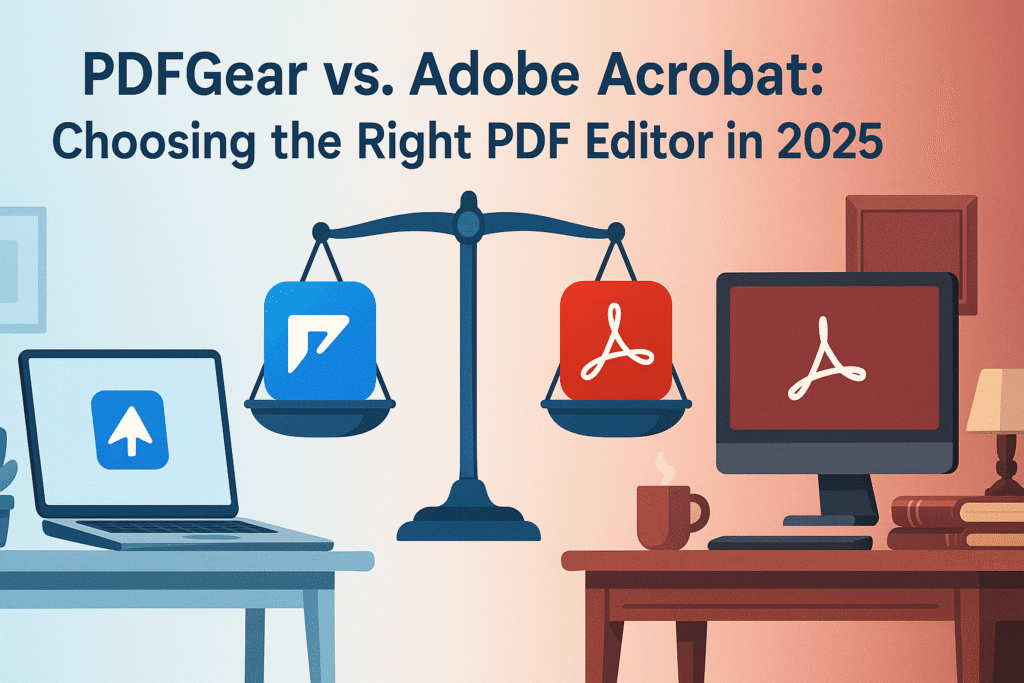
PDFGear vs. Adobe Acrobat: Choosing the Right PDF Editor in 2025

PDFGear vs. Adobe Acrobat: Choosing the Right PDF Editor in 2025 In the digital age, managing documents efficiently is key to productivity. Whether you’re a student, professional, or business owner, having a reliable PDF editor can make a significant difference. With 2025 upon us, two names stand out in the world of PDF editing: PDFGear and Adobe Acrobat. But which one is the right choice for you? Let’s dive into a comprehensive comparison to help you make an informed decision. Table of Contents 1. Introduction 2. What is PDFGear? 3. What is Adobe Acrobat? 4. Features Comparison 5. Ease of Use 6. Pricing and Plans 7. Customer Support 8. Conclusion 9. FAQs What is PDFGear? PDFGear is a relatively new player in the PDF editing arena, yet it’s quickly gaining traction. It offers a range of features designed to simplify document management. Known for its user-friendly interface and innovative tools, PDFGear is tailored for those seeking efficiency and ease of use. Whether you’re editing, converting, or annotating PDFs, PDFGear promises a seamless experience. What is Adobe Acrobat? Adobe Acrobat has been a staple in the PDF world for decades. As a pioneer in PDF technology, Adobe Acrobat offers a comprehensive suite of tools for creating, editing, and managing PDF documents. Its reputation for reliability and extensive feature set makes it a go-to choice for professionals and businesses worldwide. Features Comparison Editing Capabilities 📋 Both PDFGear and Adobe Acrobat offer robust editing capabilities. PDFGear focuses on providing essential tools such as text editing, image insertion, and form creation. On the other hand, Adobe Acrobat boasts advanced features like OCR (Optical Character Recognition), redaction, and extensive form-building options. Conversion Options 🔄 When it comes to conversion, PDFGear supports a variety of formats, including Word, Excel, and PowerPoint. Adobe Acrobat, however, takes it a step further with its ability to convert PDFs into HTML and other specialized formats, making it ideal for businesses with diverse needs. Collaboration and Cloud Integration ☁️ In today’s collaborative work environments, cloud integration is crucial. PDFGear offers basic cloud storage and sharing capabilities, ensuring your documents are accessible from anywhere. Adobe Acrobat integrates seamlessly with Adobe Document Cloud, allowing for real-time collaboration and extensive sharing options. Ease of Use PDFGear is praised for its intuitive interface, making it a great choice for beginners. Its clean design and straightforward navigation reduce the learning curve significantly. Adobe Acrobat, while feature-rich, can be overwhelming for new users due to its extensive toolset. However, for those familiar with Adobe products, the interface will feel like second nature. Pricing and Plans Cost is often a deciding factor when choosing software. PDFGear offers a more affordable pricing structure, with free plans available for basic use and competitive pricing for premium features. Adobe Acrobat, while more expensive, provides a wider range of features and professional-grade tools, justifying the higher cost for businesses and power users. Customer Support Both PDFGear and Adobe Acrobat provide customer support, but Adobe’s long-standing presence in the market gives it an edge with comprehensive support options, including tutorials, forums, and 24/7 assistance. PDFGear is continuously improving its support resources to cater to its growing user base. Conclusion Choosing between PDFGear and Adobe Acrobat depends largely on your specific needs and budget. If you’re a casual user or a small business looking for cost-effective solutions with a user-friendly interface, PDFGear might be the perfect fit. However, if you’re in need of advanced features and robust professional tools, Adobe Acrobat remains a top contender. Ultimately, both editors offer unique advantages, and understanding your requirements will guide you to the right choice. FAQs Q: Is PDFGear free to use? A: Yes, PDFGear offers a free version with basic features. Paid plans are available for advanced functionalities. Q: Does Adobe Acrobat offer a trial version? A: Yes, Adobe Acrobat provides a free trial period for users to explore its features before committing to a subscription. Q: Can I use these PDF editors on mobile devices? A: Both PDFGear and Adobe Acrobat offer mobile-friendly versions, allowing you to edit PDFs on the go. Q: Which PDF editor is better for collaboration? A: Adobe Acrobat, with its extensive cloud integration and collaboration tools, is better suited for teams and collaborative projects. We hope this comparison helps you find the perfect PDF editor for your needs in 2025. Happy editing! 📄✨ Check Out More On My Page

Scroll to Top