
Automating Workflows with Zapier Agents: A Guide for 2025 🚀
Remember when you used to spend hours copying data between different apps, sending follow-up emails manually, or updating spreadsheets one cell at a time? Those days are becoming a distant memory, thanks to automation tools like Zapier. But here’s where things get really exciting – Zapier has evolved beyond simple “if this, then that” triggers. Enter Zapier Agents, the game-changing AI-powered automation that’s transforming how we work in 2025.
I’ve been working with automation tools for over a decade, and I can honestly say that Zapier Agents represents one of the most significant leaps forward I’ve witnessed. These aren’t your typical automated workflows – they’re intelligent assistants that can make decisions, understand context, and handle complex multi-step processes without constant human intervention.
In this comprehensive guide, we’ll explore everything you need to know about Zapier Agents, from the basics to advanced implementation strategies that can revolutionize your business operations. Whether you’re a solopreneur drowning in repetitive tasks or a team leader looking to scale efficiently, this guide will show you how to harness the power of AI-driven automation.
Table of Contents
• What Are Zapier Agents and Why They Matter
• Getting Started with Zapier Agents in 2025
• Top Use Cases for Business Automation
• Setting Up Your First Zapier Agent
• Advanced Automation Strategies
• Best Practices and Common Pitfalls
• Integration with Popular Business Tools
• Measuring Success and ROI
• Future of AI-Powered Automation
• Frequently Asked Questions
What Are Zapier Agents and Why They Matter 🤖
Zapier Agents represent a fundamental shift from traditional automation. While classic Zapier workflows follow predetermined paths (trigger → action), Agents use artificial intelligence to understand context, make decisions, and adapt to changing circumstances. Think of them as having a virtual assistant who not only follows instructions but can think through problems and find solutions.
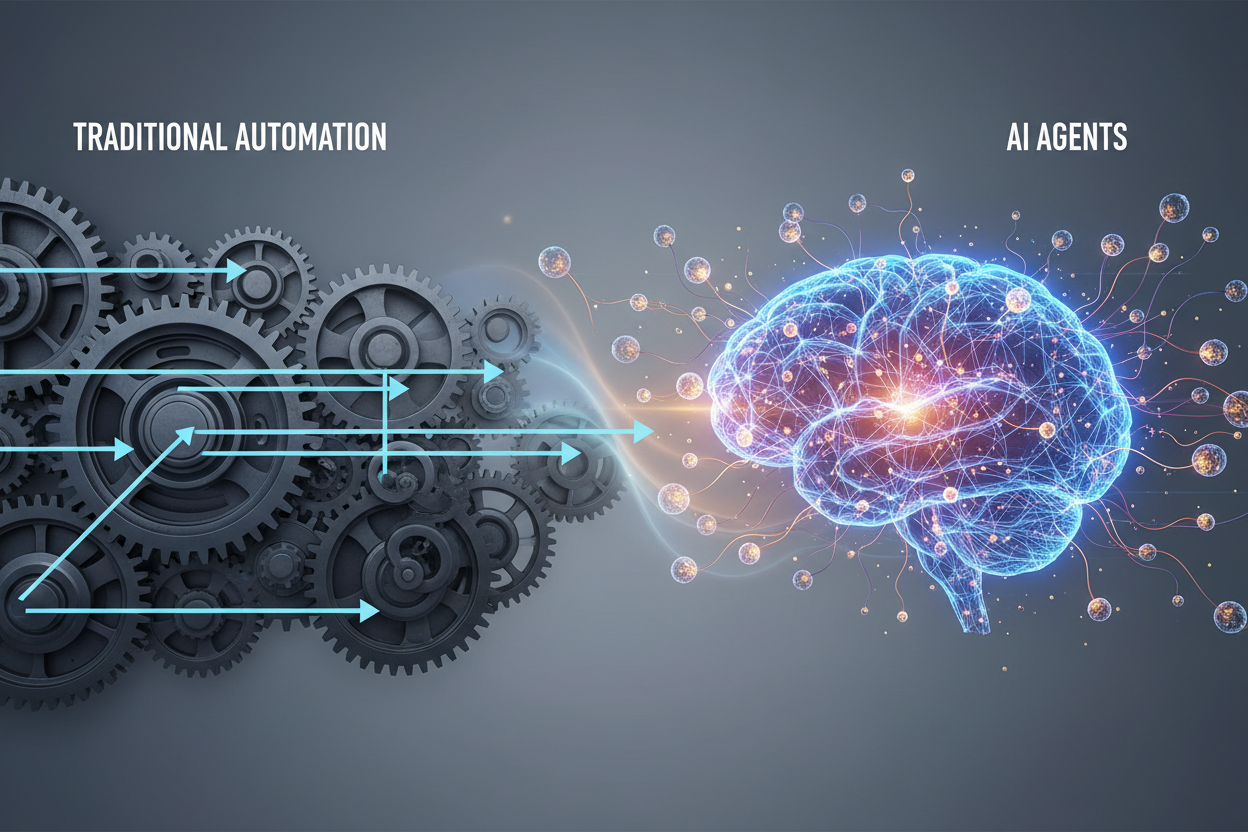
The key difference lies in their ability to handle ambiguity and complexity. Traditional automation breaks when it encounters unexpected scenarios, but Zapier Agents can analyze situations, consider multiple variables, and choose the most appropriate course of action. This makes them incredibly powerful for businesses dealing with nuanced workflows that previously required human oversight.
What makes Zapier Agents particularly valuable in 2025 is their integration with advanced language models. They can understand natural language instructions, interpret data in context, and even generate human-like responses. This means you can create sophisticated automation workflows without needing to be a technical expert.
Getting Started with Zapier Agents in 2025 ⚡
Setting up your first Zapier Agent is surprisingly straightforward, but there are some important considerations to keep in mind. First, you’ll need access to Zapier’s Agent feature, which is available on their professional and enterprise plans. The investment is worth it – I’ve seen businesses save 20-30 hours per week within the first month of implementation.
Before diving into Agent creation, take time to audit your current workflows. Identify repetitive tasks that involve decision-making, data interpretation, or multi-step processes. These are prime candidates for Agent automation. Common examples include customer support ticket routing, lead qualification, content moderation, and data analysis.
The setup process begins with defining your Agent’s purpose and scope. Unlike traditional Zaps that have specific triggers, Agents can monitor multiple data sources and respond to various conditions. You’ll want to clearly articulate what you want your Agent to accomplish and provide it with the necessary context and guidelines.
Top Use Cases for Business Automation 💼
Customer service automation has become one of the most popular applications for Zapier Agents. These AI-powered assistants can analyze incoming support requests, categorize them by urgency and topic, route them to appropriate team members, and even provide initial responses based on your knowledge base. I’ve worked with companies that reduced their response time from hours to minutes using this approach.
Lead management and sales automation represent another powerful use case. Zapier Agents can qualify leads based on complex criteria, update CRM records with relevant information, schedule follow-up tasks, and even personalize outreach messages. The beauty is that they can handle the nuanced decision-making that traditional automation struggles with.
Content and social media management have also been transformed by Agent technology. These systems can monitor brand mentions across platforms, analyze sentiment, generate appropriate responses, and escalate issues when necessary. They can even help with content creation by analyzing performance data and suggesting optimization strategies.
Setting Up Your First Zapier Agent 🛠️
Creating your first Zapier Agent starts with careful planning. Begin by documenting your current process in detail – every step, decision point, and exception. This documentation becomes the foundation for your Agent’s instructions. The more specific and comprehensive you are, the better your Agent will perform.
When configuring your Agent, focus on providing clear, actionable instructions. Use natural language to explain not just what you want done, but why certain decisions should be made. For example, instead of saying “categorize emails,” provide context like “categorize customer emails as urgent if they mention billing issues, cancellation, or use words indicating frustration.”
Testing is crucial during the setup phase. Start with a limited scope and gradually expand your Agent’s responsibilities as you gain confidence in its performance. Monitor its decisions closely during the first few weeks, and be prepared to refine your instructions based on real-world scenarios.
Advanced Automation Strategies 🎯
Once you’re comfortable with basic Agent functionality, you can explore more sophisticated automation strategies. Multi-Agent workflows involve creating specialized Agents that work together on complex processes. For instance, you might have one Agent handling initial customer inquiries, another managing escalations, and a third focused on follow-up communications.
Conditional logic becomes much more powerful with Agents. They can evaluate multiple variables simultaneously and make nuanced decisions based on context. This is particularly valuable for businesses with complex approval processes, dynamic pricing strategies, or personalized customer experiences.
Integration with external APIs and databases opens up even more possibilities. Agents can pull information from multiple sources, perform calculations, and update systems across your entire tech stack. This level of integration was previously only possible with custom development, but Agents make it accessible to non-technical users.
Best Practices and Common Pitfalls ⚠️
One of the biggest mistakes I see businesses make is trying to automate too much too quickly. Start small and build gradually. Focus on one workflow at a time, perfect it, then move on to the next. This approach allows you to learn from each implementation and avoid overwhelming your team with changes.
Documentation is absolutely critical for successful Agent implementation. Keep detailed records of your Agent configurations, including the reasoning behind specific instructions. This documentation becomes invaluable when you need to troubleshoot issues or train new team members.
Regular monitoring and optimization should be part of your routine. Agents learn and adapt over time, but they benefit from periodic review and refinement. Set up regular check-ins to evaluate performance, identify improvement opportunities, and ensure your Agents continue to align with your business objectives.
Integration with Popular Business Tools 🔧
Zapier Agents excel at connecting disparate business tools into cohesive workflows. Popular integrations include CRM systems like Salesforce and HubSpot, communication platforms like Slack and Microsoft Teams, and productivity suites like Google Workspace and Microsoft 365. The key is understanding how data flows between these systems and where intelligent decision-making can add value.
E-commerce businesses particularly benefit from Agent integrations with platforms like Shopify, WooCommerce, and Amazon. Agents can manage inventory updates, process returns, handle customer inquiries, and even optimize pricing based on market conditions. These integrations can significantly reduce the manual workload on your team while improving customer experience.
Marketing automation becomes much more sophisticated with Agent integration. They can work with tools like Mailchimp, Constant Contact, and social media platforms to create dynamic, responsive campaigns that adapt based on customer behavior and engagement patterns.
Measuring Success and ROI 📊
Tracking the success of your Zapier Agent implementation requires both quantitative and qualitative metrics. Time savings are often the most obvious benefit – measure how much time your team previously spent on tasks that are now automated. But don’t stop there; consider improvements in accuracy, consistency, and customer satisfaction.
Financial ROI calculation should include both direct cost savings and indirect benefits. Direct savings come from reduced labor costs and increased efficiency. Indirect benefits might include improved customer retention, faster response times, and the ability to scale operations without proportional increases in staffing.
User adoption and satisfaction metrics are equally important. Survey your team regularly to understand how automation is affecting their work experience. The best automation solutions should make work more enjoyable and meaningful, not just more efficient.
Future of AI-Powered Automation 🔮
The automation landscape is evolving rapidly, and 2025 is just the beginning. We’re seeing increasing integration between AI agents and other emerging technologies like voice interfaces, IoT devices, and augmented reality. These combinations will create entirely new possibilities for business automation.
Natural language processing capabilities continue to improve, making it easier for non-technical users to create sophisticated automation workflows. We’re moving toward a future where you can simply describe what you want automated, and AI will build the necessary workflows automatically.
The democratization of automation technology means that small businesses and individual entrepreneurs can access the same powerful tools that were previously only available to large enterprises. This leveling of the playing field will drive innovation and competition across all industries.
Conclusion
Zapier Agents represent a significant evolution in business automation, offering unprecedented flexibility and intelligence in workflow management. As we’ve explored throughout this guide, the key to successful implementation lies in starting small, documenting thoroughly, and continuously optimizing your processes.
The businesses that embrace AI-powered automation today will have a significant competitive advantage tomorrow. The time and cost savings are immediate, but the long-term benefits – increased scalability, improved consistency, and enhanced customer experience – are even more valuable.
Whether you’re just getting started with automation or looking to upgrade your existing workflows, Zapier Agents provide a powerful platform for transformation. The learning curve is manageable, the benefits are substantial, and the future possibilities are exciting. Take the first step today, and you’ll wonder how you ever managed without intelligent automation. 🌟
Frequently Asked Questions
What’s the difference between Zapier Agents and traditional Zaps?
Traditional Zaps follow simple trigger-action patterns, while Agents use AI to make decisions, understand context, and handle complex multi-step processes. Agents can adapt to changing conditions and handle ambiguous situations that would break traditional automation.
How much does it cost to use Zapier Agents?
Zapier Agents are available on professional and enterprise plans, starting at around $49/month. The exact cost depends on your usage volume and feature requirements. Most businesses see ROI within the first month of implementation.
Do I need technical skills to set up Zapier Agents?
No advanced technical skills are required. Agents are designed for business users and accept natural language instructions. However, some familiarity with your business processes and the ability to think through workflows logically will be helpful.
Can Zapier Agents replace human employees?
Agents are designed to augment human capabilities, not replace people entirely. They excel at repetitive, rule-based tasks, freeing up your team to focus on creative, strategic, and relationship-building activities that require human insight.
How secure are Zapier Agents with sensitive business data?
Zapier maintains enterprise-grade security standards, including data encryption, SOC 2 compliance, and GDPR compliance. However, you should review their security documentation and ensure it meets your specific industry requirements.
What happens if an Agent makes a mistake?
Agents include monitoring and rollback capabilities. You can set up approval workflows for critical actions and implement safeguards to prevent errors. Regular monitoring and optimization help minimize mistakes over time.


