Utilizing Discord for Remote Business Meetings: The Ultimate Guide to Professional Communication 🚀
Remember when Discord was just that platform where gamers gathered to chat about their latest raids? Well, 2026 has completely transformed the landscape, and businesses worldwide are discovering what forward-thinking companies have known for years – Discord isn’t just for gaming anymore. As remote work continues to dominate the professional world, savvy business leaders are turning to this versatile platform for their meeting needs, and honestly, it’s about time we talked about why this shift makes perfect sense.
The traditional video conferencing tools we’ve all grown accustomed to are facing serious competition from Discord’s unique blend of accessibility, functionality, and cost-effectiveness. Whether you’re a startup founder looking to cut costs or a Fortune 500 company seeking better engagement tools, Discord’s evolution into the business sphere represents a fascinating case study in platform adaptation and user innovation.
Table of Contents
• Why Discord is Perfect for Business Meetings in 2026
• Setting Up Your Professional Discord Server
• Advanced Features That Outshine Traditional Platforms
• Security and Privacy Considerations
• Best Practices for Discord Business Meetings
• Cost Analysis: Discord vs Traditional Meeting Platforms
• Real-World Success Stories
• Future-Proofing Your Business Communication
• Frequently Asked Questions
Why Discord is Perfect for Business Meetings in 2026 💼
Let’s be honest – most of us have experienced the frustration of traditional meeting platforms. You know the drill: “Can you hear me now?” followed by five minutes of technical difficulties, expensive subscription fees that make your CFO cringe, and interfaces that feel like they were designed in 2010. Discord changes this entire narrative.
The platform’s gaming roots actually work in its favor for business applications. Think about it: gamers demand low latency, crystal-clear audio, and seamless screen sharing for competitive play. These same requirements translate perfectly to business needs where every second of lag can derail a crucial presentation or client call.
What really sets Discord apart in 2026 is its hybrid communication model. Unlike traditional platforms that force you to choose between formal meetings and casual chat, Discord creates persistent spaces where teams can seamlessly transition from quick voice chats to full-scale presentations. This flexibility has become invaluable as businesses embrace more fluid, dynamic communication styles.
Setting Up Your Professional Discord Server 🛠️
Creating a business-ready Discord server isn’t as simple as clicking “Create Server” and hoping for the best. The key lies in thoughtful organization and professional presentation that respects both Discord’s casual nature and your business requirements.
Start with a clean, professional server name that reflects your company brand. Avoid gaming references or inside jokes that might confuse new team members or clients. Your server icon should be your company logo or a professional representation of your brand – first impressions matter, even on Discord.
Channel organization becomes crucial for business use. Create dedicated voice channels for different departments, project teams, and meeting types. Consider channels like “Executive Meetings,” “Client Presentations,” “Team Standups,” and “All-Hands.” Text channels should complement these voice spaces, providing areas for meeting notes, resource sharing, and follow-up discussions.
The beauty of Discord’s permission system allows you to create sophisticated access controls. You can establish private channels for sensitive discussions, create role-based permissions for different team levels, and even set up temporary channels that automatically delete after meetings conclude.
Advanced Features That Outshine Traditional Platforms ⚡
Here’s where Discord truly flexes its muscles against traditional business communication tools. The platform’s bot ecosystem opens up possibilities that would cost thousands of dollars to implement on other platforms.
Screen sharing on Discord has evolved significantly, now supporting high-quality streaming at 60fps with minimal latency. Unlike many traditional platforms that compress video quality to maintain stability, Discord’s gaming-optimized infrastructure ensures your presentations look crisp and professional.
The integration capabilities are where things get really interesting. Bots can automatically schedule meetings, take attendance, record sessions (with proper permissions), and even generate meeting summaries using AI. Popular business bots like Carl-bot, Dyno, and custom-built solutions can transform your Discord server into a comprehensive business communication hub.
Voice channels offer something unique – the ability to “drop in” on conversations naturally. This mimics the spontaneous collaboration that happens in physical offices, something that rigid scheduled meetings on traditional platforms simply can’t replicate. Team members can see who’s available, join ongoing discussions, and leave when appropriate without the formal ceremony of traditional meeting platforms.
Security and Privacy Considerations 🔒
I’ll address the elephant in the room – many businesses hesitate to use Discord due to security concerns rooted in its gaming origins. However, Discord has made substantial investments in enterprise-grade security features, especially as business adoption has increased.
Two-factor authentication is standard across all accounts, and server-level security controls allow administrators to require 2FA for all members. The platform uses end-to-end encryption for voice and video calls, meeting the same standards as traditional business platforms.
For businesses handling sensitive information, Discord offers audit logs, message retention controls, and the ability to disable features like file sharing or external links. While it may not have every compliance certification that enterprise-focused platforms boast, Discord’s security infrastructure is robust enough for most business applications.
The key is implementing proper server governance. This means establishing clear guidelines for information sharing, using private channels for sensitive discussions, and training team members on best practices for professional Discord use.
Best Practices for Discord Business Meetings 📋
Successfully transitioning from traditional meeting platforms to Discord requires some adjustment in meeting culture and etiquette. The platform’s casual nature can be both an asset and a challenge in professional settings.
Establish clear communication protocols from the start. While Discord’s informal atmosphere can encourage participation from quieter team members, it’s important to maintain professional standards. Create guidelines for when to use voice chat versus text, how to handle interruptions, and appropriate use of Discord’s emoji reactions and other social features.
Leverage Discord’s unique features strategically. The ability to share screens, stream applications, and use text chat simultaneously creates opportunities for more interactive meetings. Encourage participants to use text channels for questions, links, and notes while presentations are happening – this reduces interruptions while ensuring nothing gets lost.
Consider the hybrid nature of Discord communication. Unlike traditional platforms where meetings have clear start and end times, Discord conversations can flow more naturally. Use this to your advantage by creating “office hours” in voice channels where team members can drop in for informal discussions or quick questions.
Cost Analysis: Discord vs Traditional Meeting Platforms 💰
Let’s talk numbers because this is where Discord becomes really compelling for businesses of all sizes. Discord’s core functionality is completely free, supporting up to 25 users in voice channels with unlimited text communication. For most small to medium businesses, this covers their entire communication needs without spending a penny.
Discord Nitro, the premium tier, costs $9.99 per month per user and unlocks features like higher quality screen sharing, larger file uploads, and custom emoji across servers. Compare this to enterprise platforms that often start at $15-30 per user per month for basic features.
The real savings come from Discord’s all-in-one approach. Instead of paying separately for video conferencing, team chat, file sharing, and project management tools, Discord consolidates these functions into a single platform. When you factor in the reduced complexity and training costs, the total cost of ownership becomes significantly lower.
For startups and growing businesses, this cost advantage can be game-changing. The money saved on communication tools can be redirected toward product development, marketing, or hiring – areas that directly impact business growth.
Real-World Success Stories 🌟
The proof is in the pudding, and businesses across various industries are already reaping the benefits of Discord-based communication. Tech startups have been early adopters, with companies like Midjourney famously conducting their entire business operations through Discord, including customer support and community management.
Marketing agencies have found Discord particularly effective for client collaboration. The platform’s persistent nature means clients can drop in to check project progress, provide feedback, and participate in brainstorming sessions without the formality of scheduled meetings. This has led to stronger client relationships and faster project iterations.
Educational institutions and training companies have embraced Discord’s community-building features. The platform’s ability to create subject-specific channels, host live Q&A sessions, and maintain ongoing discussions has proven more engaging than traditional learning management systems.
Even traditional industries are getting on board. A consulting firm I know switched to Discord for internal meetings and found that their junior staff became more engaged in discussions, leading to better ideas and improved team cohesion.
Future-Proofing Your Business Communication 🔮
Looking ahead, Discord’s roadmap includes features specifically designed for business use. The platform is investing heavily in AI integration, advanced analytics, and enterprise-grade administration tools. By adopting Discord now, businesses position themselves to benefit from these upcoming enhancements.
The trend toward more casual, community-driven business communication isn’t going away. As younger professionals enter the workforce, they expect communication tools that feel natural and engaging rather than formal and restrictive. Discord’s gaming-inspired approach to communication aligns perfectly with these expectations.
Integration with business tools will continue to improve. We’re already seeing Discord bots that connect with popular CRM systems, project management tools, and productivity suites. This ecosystem approach means your Discord server can become the central hub for all business communication and workflow management.
The platform’s strong mobile experience ensures that remote and hybrid teams can stay connected regardless of their location or device. As work flexibility continues to be a priority for employees, having communication tools that work seamlessly across all platforms becomes increasingly important.
Conclusion: Embracing the Discord Revolution
Discord’s evolution from gaming platform to business communication tool represents more than just a trend – it’s a fundamental shift toward more accessible, engaging, and cost-effective business communication. The platform’s unique combination of voice, video, and text communication creates opportunities for collaboration that traditional business tools simply can’t match.
While Discord may not be suitable for every business scenario, particularly those requiring specific compliance certifications or enterprise-grade features, it offers compelling advantages for most organizations. The cost savings alone make it worth considering, but the real value lies in the platform’s ability to foster more natural, engaging communication among team members.
As we move further into 2026, businesses that embrace flexible, community-driven communication tools like Discord will likely find themselves with more engaged teams, lower operational costs, and better adaptability to changing work patterns. The question isn’t whether Discord will continue to gain business adoption – it’s whether your organization will be among the early adopters who reap the maximum benefits from this communication revolution. 🎯
Frequently Asked Questions
Q: Is Discord secure enough for business use?
A: Yes, Discord uses end-to-end encryption for voice and video calls and offers enterprise-level security features including two-factor authentication, audit logs, and granular permission controls. While it may not have every compliance certification of enterprise-focused platforms, it’s secure enough for most business applications.
Q: Can Discord handle large business meetings?
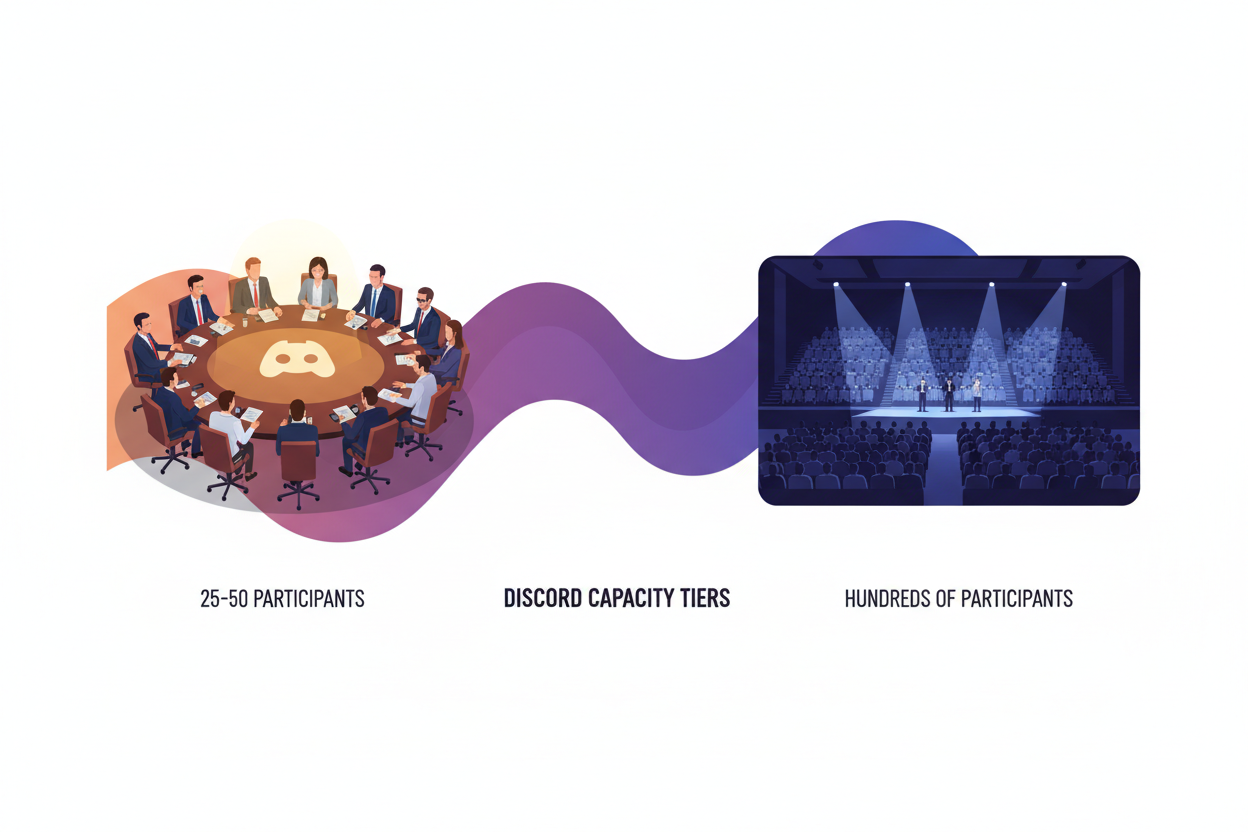
A: Discord supports up to 25 users in voice channels on free accounts, and up to 50 with Discord Nitro. For larger meetings, you can use Discord’s Stage Channels feature, which supports hundreds of listeners with a smaller number of speakers, similar to webinar formats.
Q: How does Discord compare to Zoom or Microsoft Teams in terms of features?
A: Discord offers unique advantages like persistent communication, gaming-optimized audio/video quality, and extensive customization through bots. However, it may lack some enterprise features like advanced analytics, compliance tools, and deep integration with business productivity suites.
Q: Can I record Discord meetings?
A: Discord doesn’t have built-in recording features, but you can use third-party bots like Craig or MEE6, or external recording software. Always ensure you have proper permissions and notify all participants when recording.
Q: What’s the learning curve for teams switching from traditional platforms?
A: Most teams adapt quickly to Discord’s interface, especially younger users. The main adjustment is embracing the more casual, community-driven communication style. Providing clear guidelines and best practices helps smooth the transition.
Q: Can Discord integrate with existing business tools?
A: Yes, through Discord’s extensive bot ecosystem and API, you can integrate with popular tools like Google Calendar, Trello, Slack, and various CRM systems. Custom integrations are also possible for specific business needs.